
 By Claire Whitaker
Choosing an outdoor security camera means weighing several features at once: how it gets power, whether it can handle rain and cold, how well it sees at night, and whether your Wi-Fi reaches the mounting spot. Each power type—wired, battery, solar, or Power over Ethernet (PoE)—has trade-offs in installation effort, reliability, and maintenance. Weather ratings like IP65 or IP66 tell you if a camera can survive direct rain or snow. Night vision options range from standard infrared (black-and-white) to full color with a built-in spotlight. Your home’s Wi-Fi signal also matters: cameras placed far from the router may need a mesh system or extender. This guide explains each factor so you can pick a camera that fits your home and yard.
Power Options for Outdoor Cameras
The power source determines where you can mount a camera and how much ongoing work it requires. Here are the four common types:
- Wired (AC-powered) cameras connect to a standard electrical junction box. They provide continuous power and never need battery changes. Installation requires running a low-voltage or line-voltage cable, often through an exterior wall, and may call for an electrician if you are not comfortable with wiring. Wired cameras are a reliable choice for permanent monitoring spots like a front porch or driveway.
- Battery-powered cameras run on rechargeable battery packs. They are quick to install because there is no wiring—just mount them and pair with your app. The trade-off is that you must recharge or replace the battery every few months, depending on activity and settings like recording length. Many models offer a solar panel accessory to reduce charging frequency.
- Solar-powered cameras combine a rechargeable battery with a small solar panel, either built-in or separate. In direct sunlight, the panel keeps the battery topped up so you rarely need to manually recharge. Placement matters: the panel needs several hours of direct sun per day. If your mounting spot is shaded, a battery-only camera may be a better fit.
- Power over Ethernet (PoE) cameras receive both power and data through a single Ethernet cable. They are common in professional or pro-sumer setups. PoE cameras offer the most stable connection (wired) and can be placed far from the router as long as the cable run stays under 100 meters (about 330 feet). Installation is more involved because you must run Ethernet cable and have a PoE switch or injector. Many PoE cameras also support local recording on a network video recorder (NVR).
Side-by-Side Comparison: Power Types
| Power Type | Installation Difficulty | Reliability | Maintenance | Best For |
|---|---|---|---|---|
| Wired (AC) | Moderate – may need an electrician | Very high – constant power | Low – no batteries | Fixed spots near existing wiring |
| Battery | Easy – no wiring | High – but depends on battery life | Moderate – periodic recharge | Renters or places without nearby outlets |
| Solar | Easy – mount in sunlight | High – as long as sun is adequate | Low – occasional cleaning of panel | Sunny yards, gates, or sheds |
| PoE | Hard – need Ethernet cabling | Highest – wired data and power | Low – no batteries, stable connection | Large properties or whole‑home systems |
When you decide on a power type, consider whether you own or rent, how handy you are with wiring, and whether you want a system that just works with minimal attention. For more details on each option, see our outdoor camera guide.
Weather Ratings and Temperature Ranges
Outdoor cameras must endure rain, snow, humidity, and extreme temperatures. The industry standard for weather protection is the Ingress Protection (IP) rating. Look for a camera with at least IP65, which means it is dust-tight and protected against low‑pressure water jets (rain). IP66 adds protection against powerful water jets, while IP67 allows short submersion. For most homes, IP65 or IP66 is sufficient for eaves, porches, and yard posts. For another angle, check out 4 Best Outdoor Wireless Security Camera Batteries Powered for Home Monitoring.
Temperature range is another spec to check. Operating ranges differ between models, so if you live where winters are harsh or summers are very hot, compare the rated range with your local extremes. Cameras with a built-in battery often have a narrower cold tolerance because lithium-ion cells lose capacity below freezing. Wired and PoE cameras generally handle cold better because they draw power from a constant source. Always verify the manufacturer’s operating temperature range before buying, especially if your climate sees extreme heat or cold. For a deeper look, 7 Best Outdoor Solar Powered Security Cameras of 2026 covers this in detail.
Night Vision: Infrared vs. Color with Spotlight
Most outdoor cameras let you see activity after dark, but the quality can differ.
- Infrared (IR) night vision illuminates the scene with invisible IR LEDs. The resulting video is black‑and‑white. IR is reliable, works in total darkness, and does not draw attention. The downside is that objects at the edge of the IR beam can appear washed out, and the image may be grainy at longer ranges. Infrared range varies by camera, so check the spec sheet.
- Color night vision with a spotlight uses a built‑in white LED to light up the area when motion is detected. The camera switches to full‑color video, which can make it easier to identify clothing or vehicle paint. Some models can also stay in color continuously if enough ambient light is present (starlight sensors). The trade‑off is that the spotlight may alert intruders or disturb neighbors. Many cameras let you turn off the spotlight and fall back to IR if you prefer a stealthy approach.
Which one is better depends on your priorities. If you want clear details in a dark driveway, color night vision with a spotlight is very helpful. If you value discretion and lower power consumption (especially on battery cameras), IR is a solid choice. Some newer cameras combine both, offering IR by default but switching to color when motion triggers the light.
Resolution and Field of View
Resolution describes how much detail the camera can capture. Common outdoor camera resolutions include 1080p (Full HD), 2K (QHD), and 4K (Ultra HD). Higher resolution images are sharper and let you zoom in digitally to see faces or license plates. However, higher resolution requires more bandwidth and storage space. For most uses, 2K offers a good balance between detail and data usage. 4K is best for large yards where you need to identify subjects from farther away.
Field of view (FOV) is measured in degrees. A wider field of view (say, 130° or more) lets you see a larger area without moving the camera, but objects near the edges can appear distorted (fisheye effect). A narrower FOV (around 90° to 110°) gives a more natural perspective but may require multiple cameras to cover a wide property. Think about what you want to monitor: a single camera with a wide FOV works well for a patio, while a narrow FOV is better for a long driveway where you want detail at a distance.
Wi-Fi Reach Outdoors
Outdoor cameras rely on a stable Wi‑Fi connection to stream video and send alerts. Wi‑Fi signals weaken as they pass through walls, windows, and insulation. A camera mounted on a detached garage or at the far end of a large yard may struggle to maintain a reliable link. Here are practical tips to improve Wi‑Fi for outdoor cameras: For a deeper look, Outdoor Security Camera Footage: How to Save, Find and Review Clips covers this in detail.
- Place your router as close as possible to an exterior wall, preferably on the side of the house facing the camera.
- Use a mesh Wi‑Fi system with a satellite node near the camera location. Many mesh systems allow you to add an outdoor‑rated node.
- Install a Wi‑Fi range extender dedicated to the camera. Extenders can be placed outside in a weatherproof enclosure.
- Consider a PoE camera if running an Ethernet cable is feasible. Wired connections eliminate Wi‑Fi issues entirely and provide the most stable video.
Before buying, check the camera’s Wi‑Fi standard (802.11ac or Wi‑Fi 5 is common; newer models may support Wi‑Fi 6 for better performance with multiple devices). If your Wi‑Fi is weak in the intended location, a battery‑powered camera that records locally (SD card) might still work because it can store events locally and upload when the signal is stronger.
Placement Height and Angles
Correct placement improves both security and image quality. A common recommendation is to mount the camera between 7 and 10 feet above ground level. This height is low enough to capture facial features but high enough to keep the camera out of easy reach of someone trying to disable it. Angle the camera downward slightly so the field of view covers the entry point or pathway without pointing at the sky.
For doorbells or porch cameras, mount them at eye level (about 4 to 5 feet) to capture faces of visitors. Avoid placing cameras where they might be blocked by eaves, tree branches, or outdoor furniture. Test the camera’s view in the app before fully tightening the mount.
Privacy Considerations and Legal Tips
Outdoor cameras can inadvertently record neighbors’ yards, sidewalks, or public streets, which may violate local privacy laws. Many states and municipalities restrict where you can point a camera and whether you must post signage. As a general rule, aim cameras on your own property—onto your driveway, doors, windows, and yard. Avoid pointing into a neighbor’s windows or over a fence. Some cameras allow you to set privacy zones that black out certain areas of the video. Enable these to block off any part of the frame that captures a neighbor’s home.
If you install a camera that records audio, be aware that some states require the consent of everyone being recorded. Check your state’s laws or consult a legal resource if you are unsure. For more guidance on integrating cameras with other smart security devices, visit our smart security page.
Storage Options
Video storage affects both cost and accessibility. There are two main routes: We also found Security Camera Non WiFi: 5 Best Picks Compared for Home and Off-Grid Use useful on this point.
- Local storage – The camera saves video to a microSD card (if supported) or to a network video recorder (NVR) for PoE systems. Local storage has no monthly fee and works even if your internet goes down. The downside is that if the camera is stolen, the footage may be lost unless you use a card that is locked or the camera uploads clips to the cloud.
- Cloud storage – Video is sent over the internet to the manufacturer’s servers. You can view clips from anywhere, and theft of the camera does not delete the footage. Cloud plans often have a recurring subscription fee, though some cameras include a small amount of free cloud storage. Look for cameras that offer rolling recording or event‑based clips to manage storage costs.
Many cameras let you combine both: local storage as a backup plus cloud for peace of mind. When comparing cameras, note whether the local storage is encrypted and whether the cloud subscription supports multiple cameras.
Theft-Resistant Mounting
An outdoor camera is a visible target. To deter theft, choose mounting hardware that is difficult to remove without the right tools:
- Use tamper‑proof screws (six-lobe security, pin‑hex, or one‑way screws) instead of standard Phillips or flathead screws. Many cameras come with these, but you can purchase a set if not.
- Install a security mount that requires a special key to detach the camera from the bracket.
- For battery‑powered cameras, consider a lockable enclosure that covers the body while leaving the lens and sensor exposed.
- Place cameras out of reach of ladders or stacked objects. A camera at 9 feet high is much harder to grab than one at 6 feet.
If your camera attaches with a magnetic base, be aware that a strong knock can dislodge it. For high‑theft areas, a fully wired or PoE camera with a permanent bracket is more secure.
Top Picks to Compare
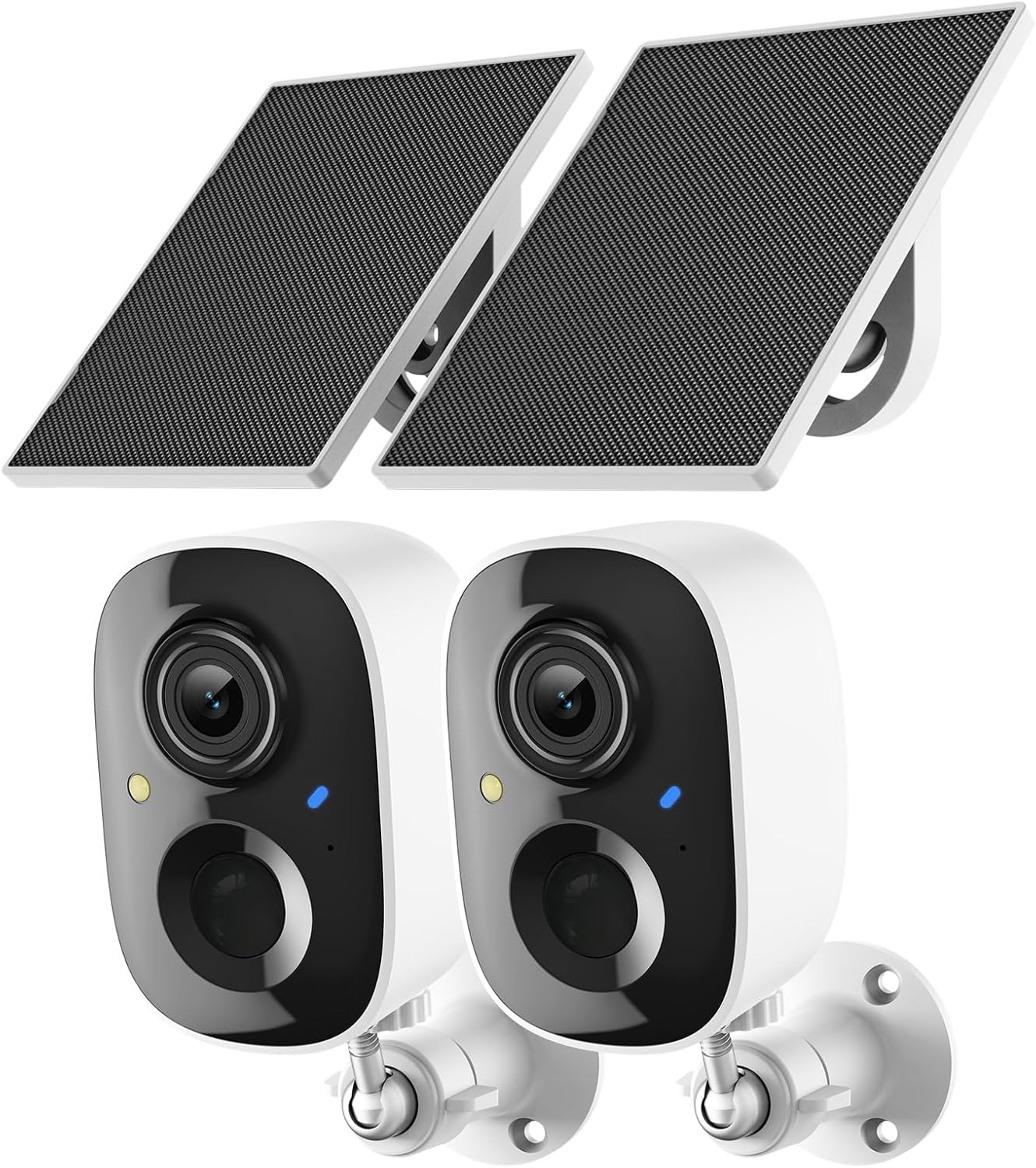
If you would rather start from a short list, these are popular options on Amazon for this search. Check each listing’s details, size and current price before you buy. Security Camera Power Over Ethernet: Step-by-Step Setup Guide (2026) goes further into this.




FAQ
What is the best power type for an outdoor security camera?
There is no single best type—it depends on your home. Wired and PoE provide the most reliable power and connection, but require more installation work. Battery cameras are easiest to install, but you have to recharge them. Solar cameras are a good middle ground if you have enough direct sun. Consider your DIY comfort and whether you want a system that runs indefinitely without maintenance.
Do I need a PoE camera?
PoE is ideal if you want the most stable video feed without Wi‑Fi congestion, or if you plan to record continuously on a network video recorder. It is also great for large properties because Ethernet cables can run further than typical Wi‑Fi signals. But if you prefer a simple setup without wires, a good Wi‑Fi camera may serve you just as well.
How can I improve Wi‑Fi for a camera mounted at the back of my yard?
Start by moving your main router closer to the exterior wall. If that is not enough, add a mesh satellite node or a weatherproof Wi‑Fi extender near the camera location. Some outdoor cameras also support a wired Ethernet connection (PoE) if you are willing to run a cable. If you cannot improve the signal, consider a camera that records to an SD card so it can save events locally and upload them later when the connection is stronger.
Is color night vision better than infrared?
Color night vision (with a spotlight) gives you more detail—you can see colors of clothes, vehicles, and objects. That can be crucial for identifying a person. However, the spotlight may alert intruders or annoy neighbors. Infrared is stealthy and uses less power, but produces a black‑and‑white image that can be less sharp. Many cameras let you use both, so you can decide based on the situation.
Choosing an outdoor security camera means balancing power, weather resilience, night vision quality, Wi‑Fi reach, and privacy. Start by deciding which power type fits your home’s wiring and your willingness to maintain batteries. Then check the IP rating and temperature range for your climate. Think about whether you want color night vision to catch details or infrared for discreet monitoring. Finally, plan your placement to avoid privacy issues and mount the camera securely. With these factors in mind, you can find a camera that protects your property without creating headaches.
About Claire Whitaker
Claire Whitaker is part of our editorial team and reviews and edits our smart home guides, checking product details against manufacturer specifications and owner feedback.







