
 By Colin Foster
Updated November 2026
Choosing must have Alexa compatible devices starts with knowing what you need the speaker, plug or streaming box to do, and whether it works with Alexa without extra hardware. The picks below are based on product listings, brand reputation and common owner feedback patterns, with a focus on how easily each device pairs with an Echo or Alexa app.
Our top picks at a glance
- 1
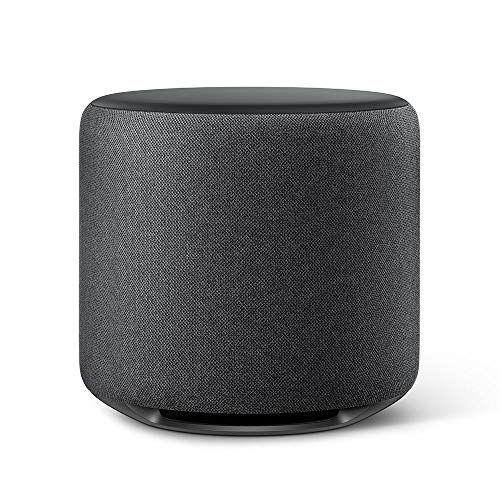 TOP CHOICEBest overallAmazon Echo SubView on Amazon
- 2
 Best for smart plug controlGE Cync Smart PlugView on Amazon
- 3
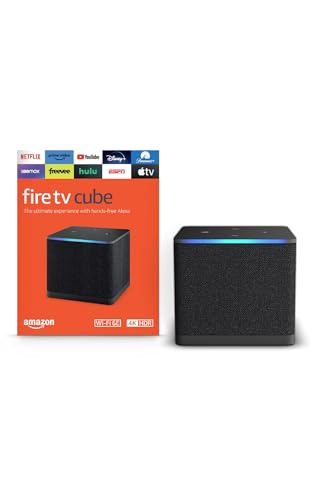 Best for TV streamingAmazon Fire TV CubeView on Amazon
Our Top Picks
Quick Comparison
| Product | Best for | Key feature |
|---|---|---|
| Amazon Echo Sub | Adding bass to Echo music | Wireless subwoofer pairing |
| GE Cync Smart Plug | Voice-controlled lamps and appliances | Matter support, no hub |
| Amazon Fire TV Cube | Hands-free TV control | Built-in Alexa voice remote |
Amazon Echo Sub
Amazon Echo Sub, Powerful subwoofer for your Echo, Requires compatible Echo device
Best for: Adding deep bass to music and movies played through a compatible Echo.
This suits people who already own an Echo speaker and want fuller sound without buying a separate audio system.
Pros
- Pairs directly with a compatible Echo device
- Adds low-frequency depth to music and video audio
Cons
- Only works with specific Echo models
GE Cync Smart Plug
GE Cync Smart Plug, WiFi Smart Outlet, Matter, Alexa & Google, 3 Pack | No hub required, voice control, Matter compatible, Alexa & Google Home, schedule & automate devices, energy monitoring
Best for: Voice and schedule control of lamps, fans and small appliances. A related read: 10 Best Smart Devices Compatibles with Alexa in 2026: Expert Picks.
This works well for households that want to automate lights and devices across Alexa and Google Home without a separate hub.
Pros
- Matter support and no hub required
- Includes energy monitoring and scheduling
Cons
- Plugs are sized for standard outlets, so bulky adapters may block neighboring sockets
Amazon Fire TV Cube
Amazon Fire TV Cube, with AI-powered Fire TV Search, Hands-free streaming device, find shows faster with Alexa+, Wi-Fi 6E, 4K Ultra HD
Best for: Hands-free TV streaming and searching with Alexa voice commands.
It fits viewers who want to say a title or ask a question instead of typing through menus on a streaming remote.
Pros
- Supports 4K Ultra HD and Wi-Fi 6E connections
- Voice search covers multiple streaming services
Cons
- Works best with a stable home network and a compatible TV
Buying Guide
Check the Alexa compatibility label
Look for explicit “Works with Alexa” or Matter support on the listing before you buy. Devices that only mention Alexa in passing may need a bridge or companion app. If you want more background, see 6 Best Alexa Devices with Screen for Smart Homes (2026).
Confirm your hub or Echo requirements
Some devices, such as Zigbee sensors, need a hub, while others connect over Wi-Fi alone. Accessories like the Echo Sub also depend on a specific Echo model, so check that first.
Match the device to the room
Plugs and streaming boxes depend on outlet placement and TV connections. Measure the space and confirm the power or HDMI setup before committing. For another angle, check out 3 Best Ways to Add Alexa Devices to SmartThings (2026).
Consider ecosystem overlap
If your household also uses Google Home or Apple HomeKit, pick devices that support Matter so they work across platforms.
Good picks for this: GE Cync Smart Plug, Amazon Fire TV Cube
FAQ
Do I need a hub for Alexa-compatible devices?
Not always. Many Wi-Fi and Matter devices connect directly, but Zigbee and some other protocols need a compatible hub.
Can I use more than one Echo with the same device?
Often yes, since Alexa devices on the same account can control shared smart home gear, though speaker accessories may only pair with one unit.
How do I check if a device is Alexa compatible?
Search for the device name in the Alexa app under Devices, or look for the “Works with Alexa” badge on the product listing.
Conclusion
The Amazon Echo Sub suits Echo owners who want richer audio, while the GE Cync Smart Plug is the practical choice for voice-controlled lights and appliances. The Amazon Fire TV Cube is the best fit for hands-free streaming on a TV.
Sources
- How wireless devices and radio frequency rules affect home Wi-Fi setups (fcc.gov)
- Security guidance for connected home and IoT devices (csrc.nist.gov)
Related reading
- Which Echo Devices Are Compatible with Alexa Plus? Full List (2026)
- What Devices Does Alexa Work With? Compatible Smart Home List (2026)
- How Many Alexa Devices Can I Have? Limits and Setup Tips (2026)
- Devices That Works with Alexa: Compatible Smart Home List (2026)
- Best Alexa Compatible Smart Home Devices: 8 Picks for 2026
About Colin Foster
Colin Foster is part of our editorial team and reviews and edits our smart home guides, checking product details against manufacturer specifications and owner feedback.


