By Colin Foster
Smart home devices can help you lower your electric bill by giving you visibility into where energy goes and by automating changes that reduce waste. The key is to start with measurement, focus on the biggest loads such as heating and cooling, and then use schedules and occupancy sensing to cut usage without sacrificing comfort. Savings vary by home and habits, so treat any percentage claims with caution. This guide walks you through the steps, from choosing the right tools to avoiding common mistakes.
What You Need to Get Started
To begin lowering your electric bill with smart home technology, you will need a few basic devices. You do not have to buy everything at once; start with the items that address your largest energy uses.
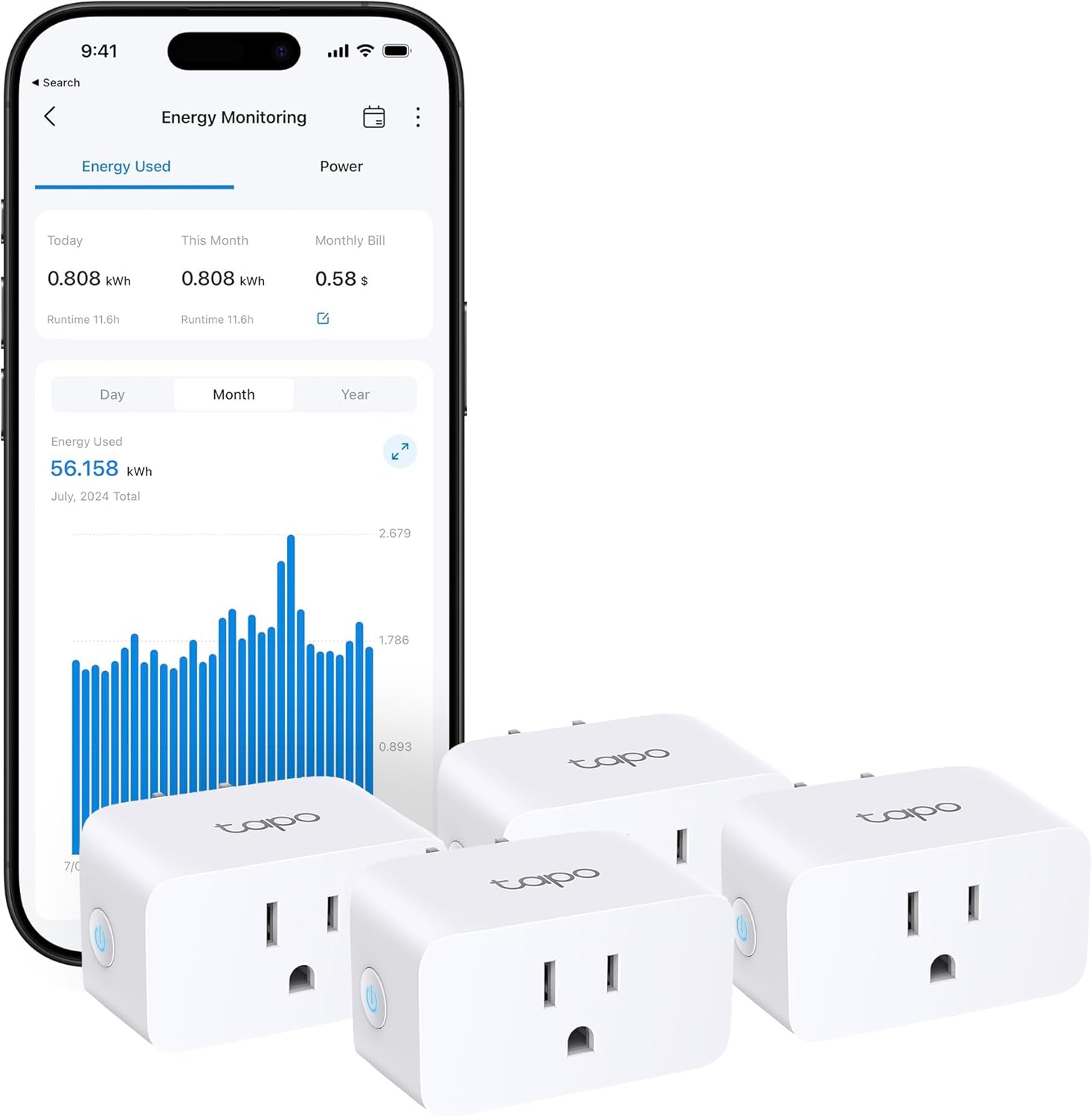
- Energy-monitoring smart plugs – These plug into a wall outlet and let you see how much electricity a connected device uses. They are useful for measuring individual plug-in devices such as a television, computer, or dehumidifier, within the plug’s rated load.
- Whole-home energy monitor – This device installs in your electrical panel (a job for a licensed electrician unless the maker says otherwise) and tracks the total electricity use of your home, often breaking it down by circuit. It gives you a complete picture without having to plug in every device. For more details, see our whole-home energy monitor guide.
- Smart thermostat – A thermostat that connects to your Wi-Fi and can be programmed to adjust temperatures based on your schedule, occupancy, or outdoor conditions. Look for models that carry the ENERGY STAR certification for verified energy savings.
- Smart switches and plugs for lighting – These let you turn lights on and off remotely or on a schedule. Some also include dimming or motion sensing.
- A smart home hub or app – Most devices work with a central app on your phone. Many also support the Matter standard, which improves compatibility across brands. Check the device packaging or manufacturer’s website to confirm support.
Step-by-Step Instructions
Step 1: Measure Your Current Energy Use
Before you change anything, you need to know where your electricity goes. Start by logging into your utility’s online portal. Many utilities provide daily or hourly usage data that shows your total consumption. This baseline helps you see the effect of changes later.
Next, use an energy-monitoring smart plug to measure the power draw of individual devices. Plug it into an outlet, connect the device you want to measure, and check the app for real-time wattage and historical usage. For a broader view, consider installing a whole-home energy monitor. It can reveal which circuits or appliances consume the most power. Read more in our article on whole-home energy monitors.
Step 2: Identify the Biggest Energy Hogs
Heating and cooling typically account for the largest share of a home’s electric bill. Other heavy users include water heaters, clothes dryers, pool pumps, and ovens. Use your energy monitor or smart plugs to see how much each of these draws when running. For large hardwired loads such as a water heater or dryer, a whole-home monitor is the safer way to measure them; a smart plug is for smaller plug-in devices within its rated load. You may also like 7 Best Smart Home Devices That Works with Alexa: Expert Picks (2026).
Once you know which devices use the most power, you can decide which ones to automate or replace. Focus your efforts on the top two or three loads first. See our guide on how to find standby power drains with an energy-monitoring plug for tips on detecting hidden waste.
Step 3: Set Up a Smart Thermostat
A smart thermostat can reduce heating and cooling costs by automatically adjusting the temperature when you are asleep or away. Follow the manufacturer’s instructions to install it. Most models require you to turn off power at the breaker before wiring. If you are unsure about electrical work, hire a licensed electrician or HVAC professional.
After installation, program a schedule that sets back the temperature during times you are not home and at night. For example, in winter you might lower the thermostat to 65°F while you are away and raise it to 68°F when you are home. In summer, raise the set point when you are out and lower it when you return. Keep the setbacks within comfortable limits to avoid overworking the system when it has to recover. Many thermostats also offer an away mode that uses occupancy sensors to adjust automatically.
The U.S. Department of Energy suggests about 68°F in winter and 78°F in summer while you are home and awake, with setbacks when you are asleep or away. Your own comfort may differ, but the principle of reducing the difference between indoor and outdoor temperatures saves energy.
Step 4: Shift Usage to Off-Peak Hours
If your utility offers time-of-use rates, electricity costs less during certain hours (often at night or on weekends). You can schedule flexible loads to run during those cheaper periods. For example, set your dishwasher, washing machine, or electric vehicle charger to start late at night. Many smart plugs and appliances have scheduling features in their apps. If you want more background, see How Long Do Alexa Devices Last? Lifespan by Device Type (2026).
Safety warning: Do not schedule or remotely start appliances that should not run unattended. This includes clothes dryers, space heaters, ovens, and any device that could overheat or cause a fire. Always follow the manufacturer’s guidelines for unattended operation.
Step 5: Eliminate Standby Power Waste
Many electronics and appliances continue to draw power even when turned off. This standby power, sometimes called vampire power, can add up. Use energy-monitoring smart plugs to identify devices that draw power when idle. Common culprits include entertainment systems, computers, game consoles, and kitchen appliances with digital displays. Worth reading next: How Many Alexa Devices Are There? Official Limits and Setup Tips (2026).
Once identified, connect these devices to smart plugs or power strips. Set schedules to turn them off completely when you are asleep or away. For example, you can program a smart plug to cut power to a home office setup at 11 p.m. and restore it at 7 a.m. Some smart plugs also support voice commands or app controls so you can turn off a group of devices with one tap.
Step 6: Automate Lighting and Ceiling Fans
Lighting accounts for a smaller share of most electric bills, but automation still helps. Use smart switches, dimmers, or bulbs with scheduling and occupancy sensing. Set lights to turn off automatically when a room is empty for a certain period. Motion sensor switches are ideal for hallways, bathrooms, and closets. Worth reading next: 7 Best Smart Thermostats for Electric Baseboard Heat (2026).
Ceiling fans can reduce the need for air conditioning in summer and help circulate warm air in winter. Use a smart fan controller or a smart switch to run the fan only when the room is occupied. In summer, run the fan counterclockwise to create a cooling breeze; in winter, reverse the direction to push warm air down from the ceiling.
Step 7: Monitor and Adjust Over Time
After setting up your devices, check your energy data regularly. Compare your utility bills or whole-home monitor readings from month to month. Look for trends: did your usage drop after you started the thermostat schedule? Did a smart plug reveal that an old refrigerator is using more power than expected? Tweak schedules and settings as your routine changes. Small adjustments over time compound into meaningful savings.
Common Mistakes
- Expecting huge savings without changing habits. Smart devices can only save what you let them. If you override the thermostat or leave lights on manually, you will not see the full benefit.
- Overcomplicating schedules. Simple schedules that match your daily routine work better than complex ones that you constantly override. Start with a basic away-and-sleep schedule and refine it later.
- Ignoring safety. Never schedule high-wattage appliances like dryers, space heaters, or ovens to run unattended. Always follow the manufacturer’s instructions and local fire safety guidance.
- Not checking compatibility. Before buying, verify that a device works with your smart home platform or app. Look for the Matter logo or check the manufacturer’s compatibility list. A device that does not integrate will not help you automate.
Troubleshooting
Smart plug not reporting energy data
Make sure the plug is connected to your Wi-Fi network and that the device you are measuring is turned on. Check the app for firmware updates. If the plug is in a location with weak Wi-Fi, move it closer to your router or use a Wi-Fi extender.
Thermostat not following the schedule
Verify that the thermostat’s location is not near a heat source or draft that confuses its sensor. Check that the schedule is saved and that the thermostat is not in a temporary hold mode. Some models require you to enable the schedule after setting it.
Time-of-use schedules not working
Confirm that your utility actually offers time-of-use rates and that you have enrolled in the plan. Then check that your smart plug or appliance’s schedule is set to the correct off-peak hours. Some apps let you enter your utility rate plan to automatically shift loads.
FAQ
How much can I save with smart home devices?
Savings depend on your home, climate, and habits. The U.S. Environmental Protection Agency’s ENERGY STAR program provides general guidance, but individual results vary widely. Focus on reducing your own usage rather than chasing a specific percentage.
Do I need a whole-home energy monitor?
Not necessarily. Energy-monitoring smart plugs can measure individual devices, which is often enough to find the biggest loads. A whole-home monitor gives you a complete picture and can catch waste you might miss, but it requires installation in your electrical panel. Start with plugs and consider a monitor if you want deeper insight. We also found How Many Alexa Devices Can I Have? Limits and Setup Tips (2026) useful on this point.
Are smart thermostats worth the cost?
Yes, for most homes. Heating and cooling are typically the largest energy expenses, and a smart thermostat can reduce them by automating setbacks. The savings often offset the purchase price over time, especially if you use scheduling and occupancy features consistently.
Can I control everything with one app?
Many smart home devices work with popular platforms, but not all. Check for Matter support, which improves cross-brand compatibility. You may need to use multiple apps if your devices come from different manufacturers. A smart home hub can help unify control.
Lowering your electric bill with smart home devices is a process of measurement, automation, and ongoing adjustment. Start with the largest energy users in your home, use the tools described here to monitor and control them, and be realistic about the pace of savings. Every kilowatt-hour you avoid using is money in your pocket.
About Colin Foster
Colin Foster is part of our editorial team and reviews and edits our smart home guides, checking product details against manufacturer specifications and owner feedback.