Some links on this page are affiliate links. If you buy through them, we may earn a commission at no extra cost to you. As an Amazon Associate I earn from qualifying purchases. Learn more ›
Best Smart Home Hubs
A comparison of smart home hubs based on listing specs, covering protocols, local automation, setup and voice assistant support. Check each listing for current details.
This post contains Amazon affiliate links. As an Amazon Associate I earn from qualifying purchases, at no extra cost to you.
Smart home hubs connect devices that use different wireless protocols and bring them under one app or voice assistant. The right hub depends on which devices you already own, whether you want automations to run without an internet connection, and how much setup you are willing to do.
The products below were chosen by comparing listing specifications and feature descriptions. We have not tested any of them by hand, so treat the details here as what each listing states. Check each listing for current price, availability and full details before you buy.
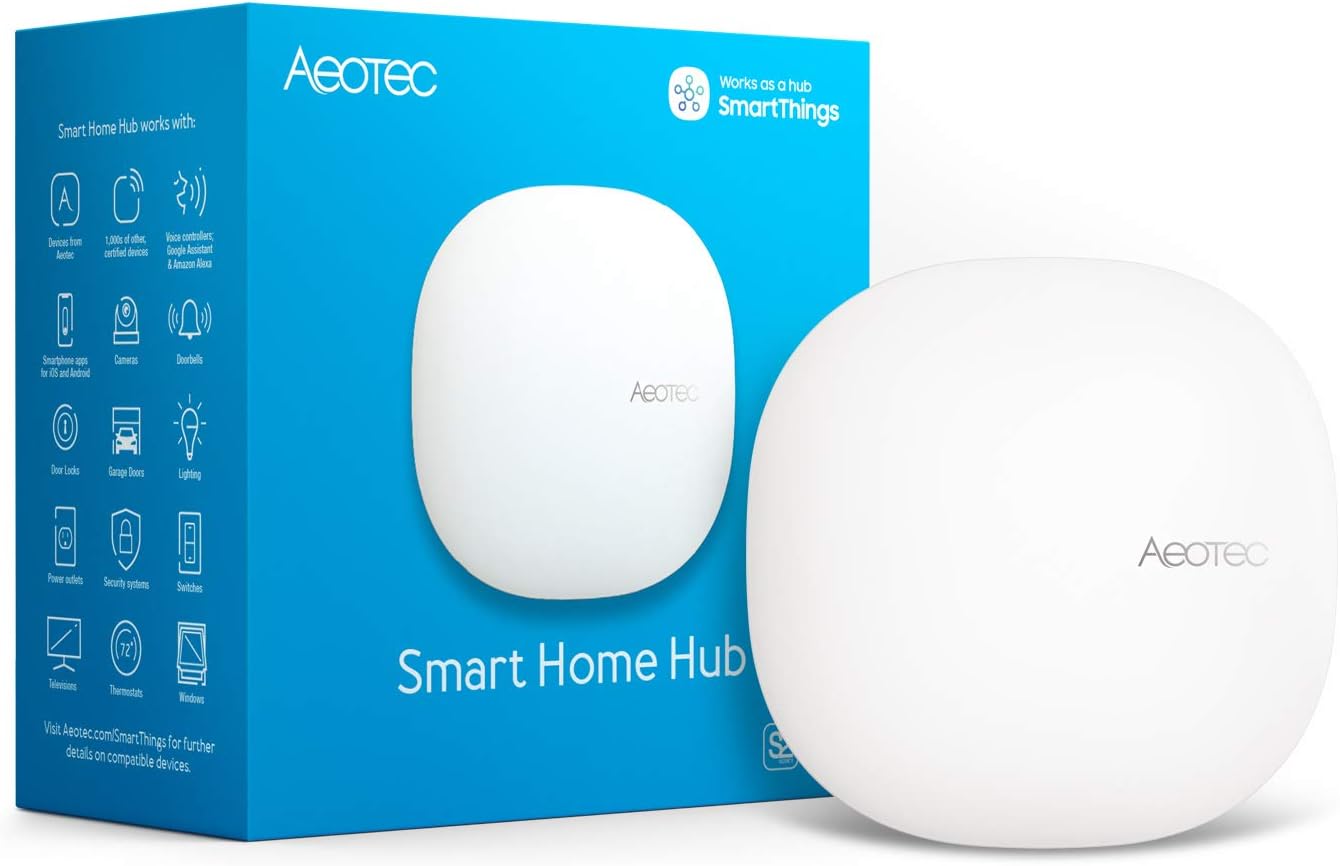
The Aeotec Smart Home Hub V3 is a SmartThings-compatible gateway that combines Matter, Z-Wave Plus, Zigbee, and Wi-Fi in one unit, with a wired Ethernet option for initial setup. It suits North American households that want to bring devices from several smart home ecosystems under one app and voice assistant setup.
Pros & Cons
Pros
Supports Matter, Z-Wave Plus, Zigbee, and Wi-Fi in one hub, making it a strong option for mixed-device smart homes.
Ethernet and Wi-Fi connectivity give you a reliable wired setup option along with wireless flexibility.
Works with Alexa and Google Assistant, so existing voice control habits carry over easily.
Local automation processing helps routines respond faster and remain dependable.
Compact, white design with an included adapter and Ethernet cable makes it ready to set up out of the box.
Cons
Z-Wave Plus support applies to the V3 model only, so buyers should confirm the exact version before purchasing.
Device compatibility depends on each manufacturer, so you should check that new devices work with SmartThings before buying them.
Designed for use in North America, which may limit its suitability for buyers in other regions.
Detailed Review
The Aeotec Smart Home Hub V3 is a central controller that brings Matter, Z-Wave Plus, Zigbee, and Wi-Fi devices together under the SmartThings platform. It is aimed at homeowners who already own, or plan to build, a smart home with devices from several manufacturers. It also works with Amazon Alexa and Google Assistant for voice control.
Its standout strength is compatibility. Lighting, sensors, switches, and comfort devices from many brands can be managed in one app, and automations can coordinate them throughout the day. Many routines run locally on the hub, which helps them respond quickly and keep working when the internet connection is unreliable.
Setup is straightforward. The included Ethernet cable provides a stable first connection, and you can switch to Wi-Fi later in the SmartThings app. The included adapter and white finish keep the hardware simple and unobtrusive on a shelf or desk.
The hub has limitations to consider. Z-Wave Plus support is limited to the V3 model, and the product is designed for North American use. Compatibility also depends on each device manufacturer, so buyers should confirm support for their gear before purchasing.
Overall, this is a capable and versatile hub for North American smart home owners who want one controller for several protocols. It is best suited to users comfortable with the SmartThings app who value local automation and wired reliability. Buyers with a small set of devices from a single ecosystem may find a cheaper, simpler option sufficient.
The Home Assistant Green is an official, plug-and-play smart home hub that ships with Home Assistant OS preinstalled, powered by a quad-core processor with 4GB RAM and 32GB storage. Its fanless, silent, low-power design makes it ideal for Home Assistant enthusiasts who want a dedicated local hub without assembling their own hardware.
Pros & Cons
Pros
Simple setup with Home Assistant preinstalled, reducing the technical effort needed to start
Official hardware from the Home Assistant developers, offering reliable compatibility and support
Quiet, fanless operation with very low power consumption
Local data storage gives strong privacy control without relying on cloud services
Cons
Requires a wired Ethernet connection for setup, which may not suit every home layout
Premium price compared with basic smart hubs, and extra USB adapters are needed for Zigbee or Z-Wave devices
Home Assistant has a learning curve, so it is best suited to users comfortable with some technical configuration
Detailed Review
The Home Assistant Green is an official smart home hub designed for people who want to run Home Assistant without building their own system. Built and supported by Nabu Casa, the team behind the open-source platform, it arrives with Home Assistant OS already installed. It suits enthusiasts and privacy-minded homeowners who want local control of their devices.
Setup is genuinely quick, requiring only the included power supply and Ethernet cable. Once running, the hub consolidates lights, sensors, thermostats, and other smart devices into one interface, and its automation tools let devices respond to each other in useful ways. The quad-core processor, 4GB of RAM, and 32GB of storage handle everyday automation comfortably.
The compact design measures roughly 4.4 inches square and has no fan, so it runs silently and can sit unobtrusively on a shelf or desk. Its low power draw keeps running costs minimal. Two USB ports allow expansion with Zigbee, Z-Wave, or Thread adapters, which is important because the hub does not include these radios on its own.
The main drawbacks are the wired Ethernet requirement and the upfront cost, which is higher than many consumer hubs. Users unfamiliar with Home Assistant may also face a learning curve when building advanced automations. Buyers who need only a few simple smart plugs may find a cheaper ecosystem hub more practical.
For anyone committed to local, privacy-focused smart home control, the Home Assistant Green is a polished and dependable starting point. Its official status, easy setup, and quiet efficiency make it a strong choice for building a long-term smart home foundation.
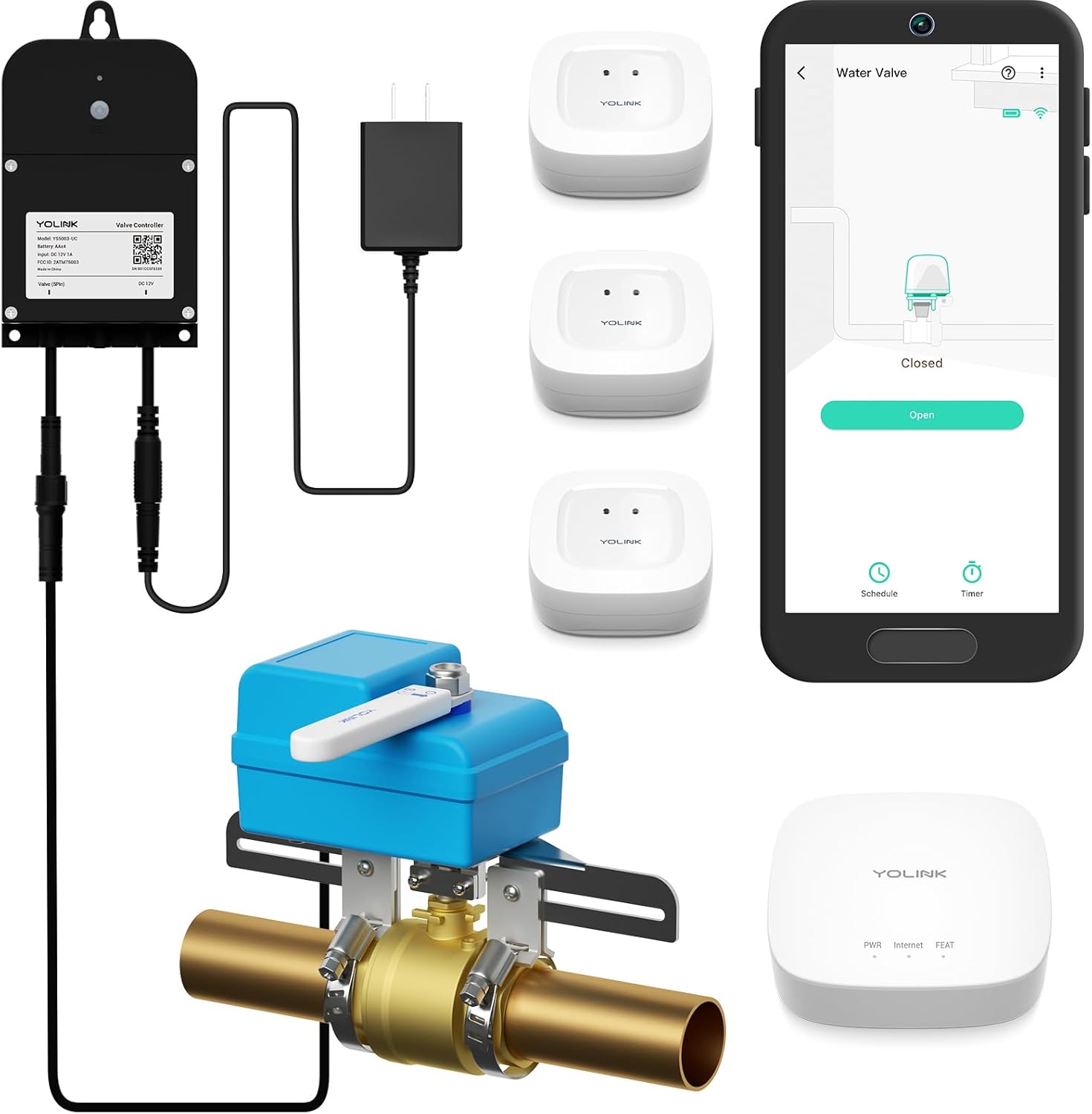
This comprehensive smart water leak detection and shutoff system combines 3 wireless sensors, an automatic valve controller, and a LoRa hub to protect your entire home from water damage. Ideal for homeowners seeking peace of mind with offline protection that works even during power outages.
Pros & Cons
Pros
Offline D2D functionality provides protection even when internet is down or during power failures
Exceptional long-range connectivity reaches areas traditional systems cannot cover
No invasive plumbing work required, making installation accessible for most homeowners
Extended battery life on sensors eliminates frequent maintenance concerns
Cons
Initial setup and D2D pairing requires careful configuration to optimize offline functionality
Limited to 5 free SMS alerts per month per device, additional alerts require subscription
Installation location must avoid excessive moisture and extreme temperatures to maintain accuracy
Detailed Review
The YoLink Water Shutoff Kit is a comprehensive smart home solution designed for homeowners and property managers who want to prevent water damage before it happens. This system combines three wireless leak sensors, an intelligent valve controller, an EVO valve operator, and a central hub to create a complete water protection ecosystem that works for homes of any size.
What sets this system apart is its offline protection capability. After initial setup, the leak sensors and valve controller communicate directly with each other using device-to-device technology, meaning the system automatically closes your water valve when a leak is detected, even if your internet is down or power is out. This is a critical advantage over cloud-dependent systems that leave you vulnerable during network failures. The LoRa technology extends communication range to 2,034 feet, allowing you to place sensors in remote locations like attics, crawl spaces, and basements without signal loss.
Installation is refreshingly straightforward. The EVO Valve Operator integrates with your existing water system without requiring pipe cutting or professional plumbing work. Simply position your three sensors in high-risk areas (under sinks, near water heaters, in basements), pair them through the hub, and activate D2D mode. Battery life is impressive, with sensors lasting up to 5 years and the valve controller running 2 years on batteries or indefinitely when plugged in. You'll receive alerts via SMS, app notifications, or email, with 30 free monthly SMS alerts included across the system.
The main considerations involve setup complexity and ongoing costs. Getting D2D mode working correctly requires careful attention to pairing instructions, and while the system includes 5 free SMS alerts per device monthly, heavy users may need to budget for additional alerts. Installation location matters too, as the devices should be protected from excessive moisture and extreme temperatures to maintain long-term reliability.
The YoLink Water Shutoff Kit represents excellent value for protecting your home from one of the costliest homeowner emergencies. Its combination of offline protection, long-range coverage, and hassle-free installation makes it ideal for anyone serious about water damage prevention.
Specifications
System Components: 3 Water Leak Sensors, 1 Smart Valve Controller, 1 EVO Valve Operator, 1 YoLink Hub, Batteries included
Connectivity: LoRa protocol with up to 2,034 feet range, Device-to-Device offline mode, compatible with Alexa, Google Assistant, IFTTT, and Home Assistant
Power: Sensors run up to 5 years on batteries, Valve Controller runs 2 years on batteries or operates plugged in with battery backup
Alerts: SMS, App notifications, Email, iOS Critical Alerts, includes 30 free SMS monthly (5 per device)
Dimensions: 8 inches L x 3 inches W x 9.5 inches H
Materials: Plastic construction
Warranty: EU spare parts available for 5 years
Installation Guide
Before You Begin: Ensure your installation location avoids excessive moisture, flooding, standing water, condensation, and extreme temperatures. Use proper protection or enclosures if devices will be in harsh environments.
Step 1 - Hub Setup: Place the YoLink Hub in a central location with power access. Configure it through the YoLink app with your WiFi credentials.
Step 2 - Sensor Placement: Install the three water leak sensors in high-risk areas such as under kitchen sinks, near water heaters, in basements, or near washing machines. No tools required.
Step 3 - Valve Controller Installation: Position the Valve Controller near your main water shutoff or branch line where the EVO Operator will be mounted. Ensure it has access to power or fresh batteries.
Step 4 - EVO Operator Mounting: Attach the EVO Valve Operator to your water valve using the included mounting hardware. No pipe cutting is required.
Step 5 - Pairing and D2D Setup: Pair all devices through the app, then enable Device-to-Device mode for offline protection. Test the system to confirm the valve closes when a sensor detects water.
The NETGEAR GS305 is a compact, fanless 5-port gigabit switch that delivers reliable plug-and-play network expansion for homes and small offices. Its silent operation, energy efficiency, and metal construction make it an excellent choice for anyone needing affordable network connectivity without configuration hassles.
Pros & Cons
Pros
Truly plug-and-play, no drivers or configuration needed - works immediately out of the box
Fanless design eliminates noise, heat, and maintenance concerns for silent operation
Compact metal build with flexible mounting options fits any workspace or setup
Energy-efficient IEEE 802.3az technology reduces electricity costs without sacrificing performance
Cons
Limited to 5 ports, which may require additional switches for larger network expansions
US and Canada regional compatibility only, not suitable for international use
No advanced management features, making it unsuitable for complex enterprise networking needs
Detailed Review
The NETGEAR GS305 is a straightforward 5-port gigabit ethernet switch designed for home users and small office environments who need simple network expansion. It's ideal for anyone looking to add more wired connections without dealing with complicated setup procedures or technical configurations.
The standout feature here is its true plug-and-play simplicity. Simply connect the power adapter and ethernet cables, and the switch works immediately with no software installation or configuration required. The auto-negotiating ports intelligently detect connected device speeds and work with both Cat5e and Cat6 cables, making it compatible with existing network infrastructure.
Build quality is solid with a rugged metal case that feels durable and professional. The compact 6.2 x 4 x 1.1 inch design fits easily on desks or mounts to walls, and the fanless construction ensures completely silent operation. LED indicators on each port provide visual feedback for connection status and activity.
The main limitation is that five ports may not be enough for larger networks, requiring additional switches for expansion. Additionally, the lack of advanced management features means it's not suitable for complex enterprise environments. However, for basic home and small office networking needs, this is exactly what you need.
Overall, the NETGEAR GS305 delivers reliable, affordable gigabit network expansion with exceptional ease of use. If you need to add ethernet connections without complications, this switch is a smart choice backed by excellent customer satisfaction and NETGEAR's 3-year warranty.
Specifications
Connectivity: 5x 1.0 Gbps Gigabit Ethernet ports with RJ45 connectors
Data Transfer Rate: 1000 Mbps per port with non-blocking switching architecture
Design: Metal case construction, fanless, silent operation
Dimensions: 6.2 inches L x 4 inches W x 1.1 inches H
Weight: 8.8 ounces
Power: Universal voltage 100-240V, low current draw at 0.01A
Energy Efficiency: IEEE 802.3az Energy Efficient Ethernet standard
Mounting: Desktop or wall-mount compatible
Warranty: 3-year limited hardware warranty from NETGEAR
Included: 5-Port Switch GS305v3, power adapter, quick installation guide
Model Number: GS305-300PAS
Buyer Guide
Who Should Buy This Switch: Home users needing to add ethernet connections for gaming consoles, streaming devices, or smart home equipment. Small office workers requiring reliable wired connectivity for multiple computers or printers. Anyone who values simplicity and doesn't want to deal with network configuration.
Who Should Look Elsewhere: Enterprise networks requiring advanced management features and VLAN support. Large organizations needing more than 5 ports without daisy-chaining switches. Users in regions outside the US and Canada.
Installation Tips: Place the switch in a central location for optimal cable routing. Use the wall-mount option to save desk space if needed. Ensure the power adapter is plugged into a nearby outlet with surge protection.
Cable Recommendations: Works with existing Cat5e cables but Cat6 cables are recommended for future-proofing and optimal performance. Keep cable runs under 100 meters for gigabit speeds.
Maintenance: The fanless design means virtually no maintenance required. Simply dust the metal case occasionally and ensure ventilation around the unit for optimal thermal performance.
The Lutron Caseta Smart Switch Starter Kit includes a smart switch, a Caseta Smart Hub that runs without Wi-Fi, and a white wallplate, so you can control existing lights from an app, voice assistant, or wall switch. It suits homeowners who want reliable scheduling, dusk-to-dawn outdoor lighting, or geofenced shutoff, provided their wiring includes a neutral wire.
Pros & Cons
Pros
Reliable local hub that does not depend on Wi-Fi for core lighting control
Broad compatibility with major smart home ecosystems and voice assistants
Quick, beginner-friendly installation with helpful manufacturer support resources
Advanced scheduling, scenes, and geofencing through the Lutron app
Cons
A neutral wire is required, so older homes without one may need an electrician or a different solution
Pico remotes and wall mount brackets are sold separately, which increases the total cost for multi-room control
Rated IP00 with a 5-amp limit for LED and CFL loads, so it is intended for indoor use and not for damp or exposed outdoor installations
Detailed Review
The Lutron Caseta Smart Switch Starter Kit is a whole-home lighting upgrade built for homeowners who want to automate existing fixtures without rewiring or replacing bulbs. The kit includes a Caseta smart switch, a Smart Hub, and a white wallplate, making it a practical entry point into the Lutron ecosystem. It is best suited to people who want dependable scheduling and remote control for lights they already have.
The standout strength is the hub's local operation, which keeps lighting responsive without relying on your Wi-Fi network. Scheduling dusk-to-dawn porch lighting, geofenced shutoff, and scenes through the Lutron app work as advertised, and the switch can control multiple bulb types on one circuit. Adding a Pico remote gives you a wireless second control point, which is useful in bedrooms or hallways where a traditional three-way setup is impractical.
The switch has a clean, modern look that blends with standard wall plates, and the white wallplate keeps the installation tidy. Build quality feels solid for an indoor device, though the IP00 rating means it should stay away from damp areas and exposed outdoor boxes. Installers should also confirm a neutral wire is present before purchase, as this is the most common obstacle.
Drawbacks include the additional cost of Pico remotes and brackets if you want multi-room control, and the 5-amp limit for LED and CFL loads, which may require checking your fixture totals. Voice control depends on the hub being online and compatible assistants being set up correctly. Some users may also find the initial app setup takes patience.
Overall, this starter kit is a strong choice for homeowners who want reliable, Wi-Fi-independent lighting automation with broad smart home compatibility. If your wiring includes a neutral and you plan to use the scheduling and geofencing features, it delivers meaningful convenience. Buyers with complex outdoor or high-wattage setups should verify compatibility first.
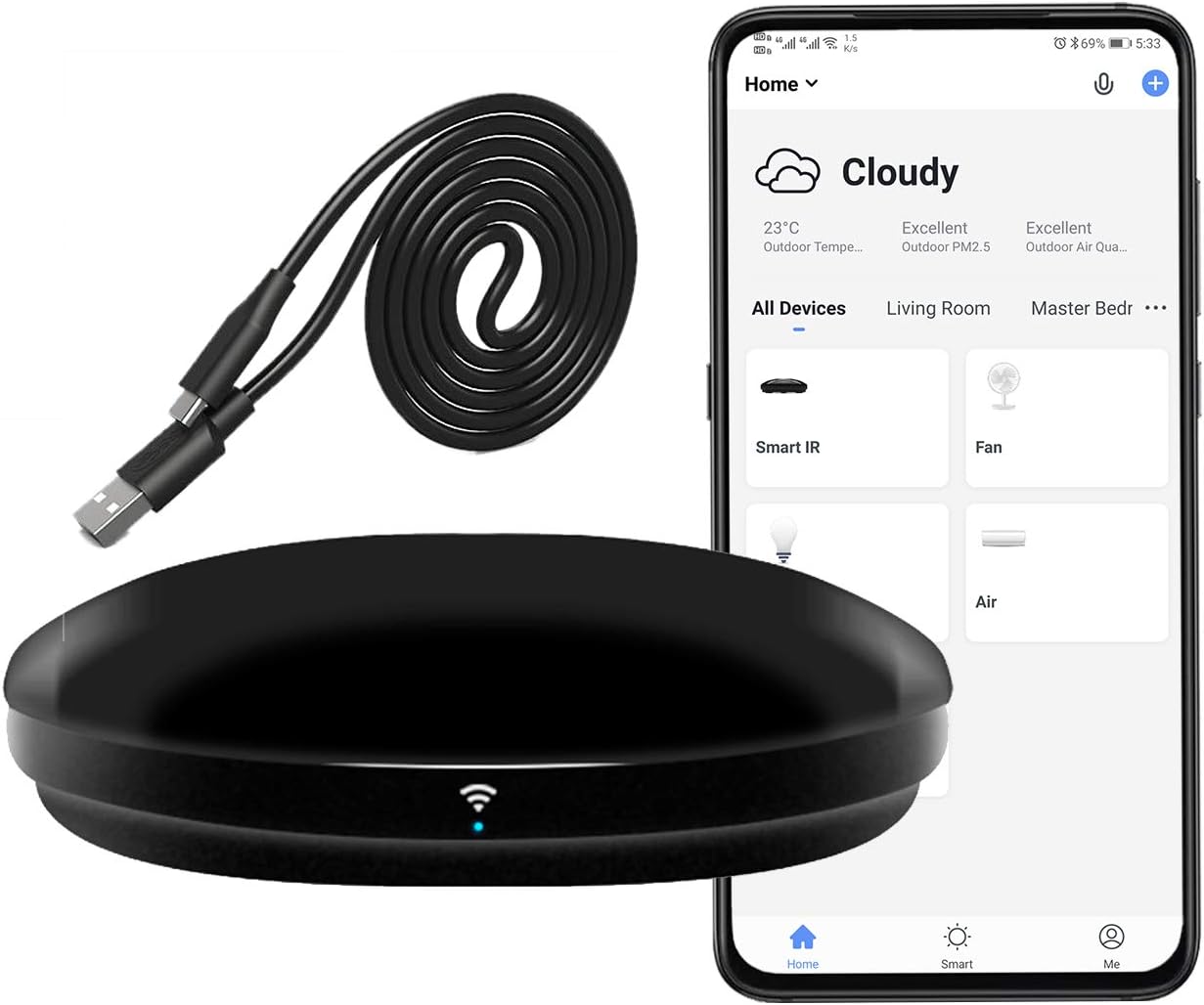
The FRANKEVER FK-UFO-R4 is a Wi-Fi infrared hub that turns your phone or smart speaker into a remote for TVs, set-top boxes, DVD players, soundbars, air conditioners, and fans. It suits smart home beginners who want to add voice and app control to existing IR-only appliances without replacing them.
Pros & Cons
Pros
Affordable way to add Wi-Fi and voice control to existing infrared appliances
Broad compatibility across TVs, air conditioners, fans, and home theater gear
Learning mode covers devices that are not in the cloud database
Simple setup through the Smart Life app, with video guidance from the manufacturer
Cons
Requires a secured 2.4GHz Wi-Fi network and will not work with 5GHz-only networks
Infrared only, so it cannot control RF-based devices and needs a clear line of sight within about 10 meters
Depends on the Smart Life app and cloud services, and some users may need to use the learning mode to set up less common remotes
Detailed Review
The FRANKEVER FK-UFO-R4 is a Wi-Fi infrared hub designed to bring older IR-controlled appliances into a smart home setup. It is aimed at households with TVs, set-top boxes, air conditioners, or fans that cannot be controlled from a phone, and it works without replacing those devices.
Its main strength is broad compatibility, with support for more than 50,000 IR devices from its cloud library. If a particular remote is missing, the built-in learning mode lets you copy button commands directly from the original remote, which covers most gaps in the database.
Voice control through Alexa or Google Assistant works well for simple commands such as switching devices on or off, adjusting volume, or changing channels. Scheduling and custom scenes in the Smart Life app add useful automation, such as cooling the room before you get home.
The hub is a small, lightweight unit that runs on two AA batteries and needs to be placed where it has a clear view of the target devices. Its build is basic, and the setup depends on a 2.4GHz network and the app, so buyers with complex networks may need extra time to get it working.
For the price, the FK-UFO-R4 is a practical and capable entry point into IR-based smart home control. It is best suited to users who want to add voice and app control to existing infrared equipment rather than those who need a premium, fully integrated hub.
The Hubitat Elevation C-8 Pro is a powerful local-processing smart home hub that supports Z-Wave, Zigbee, Matter, and Bluetooth with no subscription fees. It's ideal for privacy-conscious homeowners and advanced users who want reliable automation that works even when internet is down.
Pros & Cons
Pros
Local-first architecture ensures automations work reliably without cloud dependency or internet interruptions
Comprehensive multi-protocol support eliminates the need for multiple hubs or expensive adapter bridges
No subscription model means all advanced features and Rule Machine capabilities are available immediately
Compact, lightweight design fits discreetly anywhere in your home without taking up space
Active community continuously shares custom apps, drivers, and automation blueprints for expanded functionality
Cons
Steep learning curve for advanced features like Rule Machine if you're new to smart home automation
Requires technical comfort with local network configuration and troubleshooting for optimal performance
Detailed Review
The Hubitat Elevation C-8 Pro is a premium smart home hub designed for homeowners who prioritize privacy, reliability, and independence from cloud services. This hub is perfect for tech-savvy users, privacy advocates, and anyone frustrated with smart home systems that depend on internet connectivity or require ongoing subscription costs.
What truly sets the C-8 Pro apart is its local-processing architecture. Unlike cloud-based systems, automations run directly on the hub itself, delivering near-instant response times and continued operation even during internet outages. The dual external antennas provide extended Z-Wave and Zigbee range, while support for Matter 1.5, Z-Wave 800 Series Long Range, Zigbee 3.0, and Bluetooth means you can control over 1,000 devices from 100+ brands without purchasing additional bridges or adapters. The AI-assisted automation builder simplifies complex routine creation, though advanced users will appreciate the powerful Rule Machine for multi-condition logic.
The hub's compact design measures just 3.23 by 2.95 inches and weighs 2.56 ounces, making it easy to place anywhere without cluttering your space. Integration with Alexa, Google Home, and Apple HomeKit ensures your existing voice assistant ecosystem works seamlessly alongside the hub, with Ring camera integration adding an extra security layer.
The main drawback is the learning curve. While setup is straightforward, mastering advanced features like Rule Machine and custom automations requires patience and technical knowledge. Additionally, some users report occasional device compatibility issues, as reflected in the 3.9 rating, though the active community often provides solutions.
The Hubitat Elevation C-8 Pro is an excellent investment for anyone seeking a powerful, privacy-first smart home hub with no recurring costs and complete local control. It's particularly valuable for larger homes with many devices or users who demand reliability and independence from cloud services.
Key Specifications
Dimensions: 2.95 x 3.23 x 0.67 inches
Weight: 2.56 ounces (0.16 lb)
Protocols Supported: Z-Wave 800 Series with Long Range, Zigbee 3.0, Matter 1.5, Bluetooth
Device Compatibility: 1,000+ devices across 100+ brands
Antennas: 2 dedicated external antennas (Z-Wave and Zigbee)
Voice Assistant Integration: Amazon Alexa, Google Home, Apple HomeKit
Subscription Cost: None, all features included
Model Number: C8 Pro
Available Since: December 28, 2023
Buyer's Guide
Who Should Buy This Hub? The C-8 Pro is ideal for privacy-conscious homeowners, advanced DIY automation enthusiasts, and anyone with 50+ smart devices who needs reliable local control. It's also perfect for homes with poor internet reliability or users who want complete independence from cloud-based systems.
Who Might Want to Look Elsewhere? If you prefer simple plug-and-play setups with minimal technical involvement, or if you rely heavily on a single ecosystem like SmartThings or Apple Home, consider entry-level alternatives. Complete beginners may find the advanced features overwhelming without community support.
Setup Considerations: Plan for 30 minutes to 1 hour for initial setup and network configuration. The hub requires a stable local network connection. Step-by-step documentation and an active online community are available to guide you through every stage of installation and optimization.
Long-Term Value: With no subscription fees and continuous platform updates since 2018, this hub delivers exceptional long-term value. The community-driven ecosystem means new integrations and features are regularly added without requiring hardware upgrades.
The SONOFF Bridge-M is a Matter Bridge and Zigbee gateway that links Zigbee, BTHome, and eWeLink devices to Alexa, Google Home, Apple Home, and Home Assistant without cloud dependency. It suits smart home users who want local control and cross-ecosystem device bridging, though it cannot add native Matter devices.
Pros & Cons
Pros
Cloud-free local control keeps automations running and data stored on your own network
Broad compatibility across Zigbee, BTHome, and eWeLink devices with major voice assistants
Built-in 90 dB alarm adds practical security value when paired with Zigbee sensors
Compact, lightweight design with Ethernet and Wi-Fi options for flexible placement
Cons
Does not act as a Matter Controller, so Matter devices cannot be added directly to it
Setup of bridging and Home Assistant integration may require technical familiarity and patience
Security features depend on compatible Zigbee sensors, which are sold separately
Detailed Review
The SONOFF Bridge-M is a Matter Bridge and Zigbee gateway designed for households that already own a mix of smart devices and want them working together. It targets users who run Apple Home, Alexa, Google Home, or Home Assistant and need a local bridge rather than another cloud service.
Its standout strength is the local web console, which lets you configure device bridging directly from your LAN without installing an app. Paired with Zigbee sensors, the built-in 90 dB alarm and mobile notifications turn it into a simple local security setup.
The unit is compact and finished in white, with a 5V power supply, RJ45 Ethernet port, and Wi-Fi support. It feels like a practical utility device meant to sit quietly on a shelf or behind a router, with a 2-year warranty backing the build.
The main limitation is that Bridge-M supports Matter Bridge functionality only, not Matter Hub or Controller functionality, so native Matter devices cannot be added through it. Users who expect a full-featured hub may need to pair it with another controller, and the initial configuration rewards some technical comfort.
For buyers who want to unify Zigbee and eWeLink devices across major ecosystems with local control, the Bridge-M offers good value at its price point. It is a strong choice for enthusiasts and practical home automation users, though those seeking native Matter control should look elsewhere.
The Google Nest Hub H1A is a 7-inch 1st generation smart display with Google Assistant, touchscreen controls, and smart home management in a compact chalk finish. It suits buyers who want a low-cost hands-on hub for a kitchen, bedside, or desk, and who can accept the Korean language default.
Pros & Cons
Pros
Simple, familiar Google Assistant experience that works well for everyday tasks.
Compact size makes it easy to place in kitchens, bedrooms, and offices.
Combines voice and touch controls for smart home devices in one screen.
Attractive chalk design that looks at home in most decor.
Cons
This is a Korean spec model, so the language must be changed to English through the Google Home app after setup.
The package includes only a cable, so confirm you have a compatible power adapter before ordering.
Detailed Review
The Google Nest Hub H1A is a 1st generation 7-inch smart display built around Google Assistant. It is aimed at people who want a simple voice and touch hub for the kitchen, bedroom, office, or living room.
Its strongest point is everyday convenience. You can ask for weather, set timers, manage reminders, follow recipes, and control compatible smart lights, plugs, and thermostats without picking up a phone.
The 7-inch screen is bright enough for photos, videos, and recipe steps at a glance. It works well on a counter or nightstand, and the chalk finish fits neatly into most rooms.
The main drawback is that this is a Korean spec model, so you must switch the language to English after setup. The package also includes only a cable, and this older hardware lacks the newer features found on current Nest displays.
Overall, the Nest Hub H1A is a practical, compact smart display for buyers who want Google Assistant in a room-friendly form. Mixed customer ratings suggest checking the language and power requirements carefully before buying.
Smart Home Hub Buying Guide
Protocols and device compatibility
The first question is which wireless standards your devices use. Some hubs list Matter, Z-Wave and Zigbee together, while others focus on Wi-Fi or infrared. The Aeotec smart home hub lists Matter, SmartThings, Z-Wave, Zigbee and Wi-Fi among its connectivity options, and the listing notes that the Z-Wave Plus certification applies to the V3 model only. The Hubitat Elevation C-8 Pro lists Matter 1.5, Z-Wave 800 Series with Long Range, Zigbee 3.0 and Bluetooth. For a deeper explanation of how these standards fit together, see our smart home hub guide.
Matter support also has limits that are easy to miss. The SONOFF Bridge Max listing states that it works as a Matter Bridge for Zigbee, BTHome and eWeLink devices, but that it does not support Matter Hub (Matter Controller) functionality and cannot add Matter devices directly. Read the listing closely before assuming a hub will pair every type of device. For background on controllers and border routers, see Matter controllers and Thread border routers explained.
Local control and automation
Some hubs say that automations run on the device itself, while others rely on cloud services. The Hubitat Elevation C-8 Pro listing says its automations run directly on the hub rather than on remote servers, so lights, locks and routines should keep working when the internet goes down. The listing also says the hub needs no recurring subscription for its core features.
The Home Assistant Green takes a similar local approach. Its listing says home data stays on the device and can be exported when you choose. The Aeotec smart home hub listing says many of its automations now run locally, which may improve speed and reliability. If local operation matters to you, the local smart home controller guide explains what to look for in more detail.
Setup and connectivity
Setup varies a lot across these products. The Home Assistant Green listing describes a setup that requires plugging in the included power supply and Ethernet cable, since Home Assistant comes preinstalled. The Aeotec smart home hub listing says it can be set up over Wi-Fi or wired Ethernet using the SmartThings app. The SONOFF Bridge Max listing notes a local web console that can be reached from your network without a separate app.
Some products are not hubs in the strict sense. The Lutron Caseta starter kit includes a smart switch, a Caseta hub and a wallplate, and the listing says a neutral wire is required. The Frankever Wi-Fi IR blaster hub controls infrared devices such as TVs and air conditioners, and its listing says it needs a secured 2.4GHz Wi-Fi network. Its listing also says it is an infrared remote, not an RF controller.
Built-in displays and security features
Some hubs include a screen for monitoring or voice control. The eufy E10 smart display listing describes an 8-inch touchscreen that shows live feeds from up to four cameras and stores historical events locally. The listing also describes daily summaries powered by HomeBase 3. The Google Nest Hub 7-inch smart display is a smart display with Google Assistant built in, and its listing describes smart home control, music, video and timers. Its listing notes that the Korean spec model can be set to English after setup.
Security-focused setups add another layer. The YoLink water shutoff kit pairs leak sensors with a valve controller and a hub. Its listing says the valve can close on a detected leak after pairing, even during a power or network outage, and it describes a LoRa range of up to 2,034 feet between devices and the hub. The listing also says the sensors have a battery life of up to 5 years, which is a manufacturer claim rather than something we verified.
Final Thoughts
For a compact, local-first setup with broad protocol support, the Hubitat Elevation C-8 Pro and the Aeotec smart home hub are described in their listings as covering several standards in one unit. Households that want an open-source style platform may find the Home Assistant Green a closer match, while a smaller setup focused on lighting may suit the Lutron Caseta starter kit more directly.
Not always. Some devices connect directly to Wi-Fi and work through a voice assistant app. Hubs are most useful when devices use protocols such as Zigbee, Z-Wave or Matter, which need a bridge or controller to reach your network.
What does local automation mean?
Local automation means routines run on the hub itself rather than on a remote server. Listings for some hubs say this keeps routines working during an internet outage, though you should confirm how each product handles this in its documentation.
Can a hub control devices that use infrared?
Some hubs can. The Frankever listing describes an IR blaster that works with TVs, air conditioners and similar equipment, and it states that a 2.4GHz Wi-Fi network is required.
Should I check the listing before buying?
Yes. Prices, availability and listing details can change. Check each listing for current information, and review the manufacturer’s manual for setup and safety instructions.
About Owen Palmer
Owen Palmer is part of our editorial team and reviews and edits our smart home guides, checking product details against manufacturer specifications and owner feedback.
Learn what smart plugs can and cannot do. Control lamps, fans, and holiday lights remotely. Avoid space heaters. Understand load ratings, energy monitoring, outdoor plugs, and Matter compatibility.
A smart home hub translates wireless standards so different devices can work together. This guide covers hub types, protocols, local versus cloud processing, and when you may not need one.
Planning security camera installation for home? Compare three practical options by setup type, features and fit, with a buying guide to help you choose.
Learn how to install home security camera systems fast. We compare six top picks by setup ease, power, storage and Alexa compatibility to help you choose.
Compare 7 smart thermostat for electric baseboard heat options by compatibility, wiring, scheduling and voice control to find the right fit for your home.
Compare 4 security camera and recorder setups for home monitoring. See which recorder fits PoE, analog or hybrid camera systems, and what to check before buying
Compare 7 sign for security camera options for driveways, gates and entryways. Specs, pros, cons and buying tips to help you pick the right warning sign.
Compare five 4K security camera wireless options for home monitoring. Covers battery, solar, no-subscription setups, AI detection and buying factors to help you

 By Owen Palmer