By Colin Foster
When you set up a smart home, you usually choose between devices that talk to a remote server (the cloud) and devices that process everything on your local network. Local smart home controllers handle automations, schedules, and voice commands directly on hardware you own, without needing an internet connection to function. This guide explains why local control matters, how it works, and whether a local controller is the right fit for your home.
Why Local Control Matters
The main appeal of a local controller is that your smart home does not depend on an internet connection. Commands travel directly from the controller to your device over your home network. This makes them faster than cloud commands, which have to travel to a remote server and back. For something like a light switch, the difference between a half-second delay and an instant response is noticeable.
Privacy is another major factor. With a cloud-first platform, your device usage patterns, schedules, and even sensor data are sent to company servers. A local controller keeps this data on your network, giving you more control over your information. You do not have to wonder if your usage habits are being analyzed or sold.
Reliability during an internet outage is a key advantage. If your internet goes down, cloud-dependent devices often stop working or lose their automations. A local controller keeps running. Your lights still turn on at sunset, your thermostat still adjusts, and your door lock still responds to its keypad. Cloud commands can also suffer from jitter, where response times vary wildly depending on server load. Local commands usually respond quickly and consistently.
Cloud-first platforms often tie you to a single ecosystem. If you decide to switch brands later, you may have to replace all your devices. Local controllers are protocol-based, allowing you to mix and match devices from different manufacturers as long as they use the same standard. This flexibility is a major reason many homeowners choose a local path.
How Local Controllers Work
There are two main approaches to local control. For a broader overview of the hardware options available, see our guide on Hubs & Controllers.
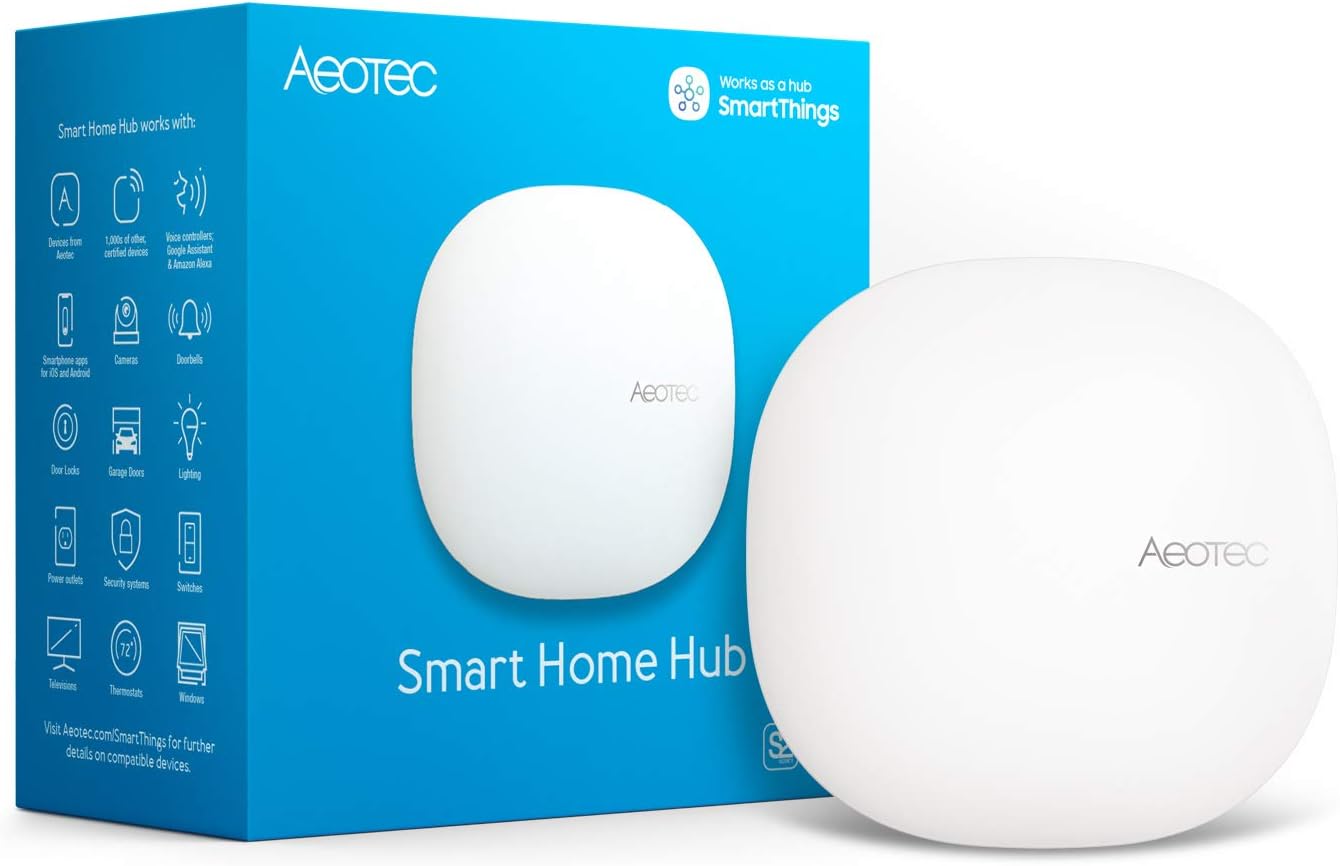
Dedicated Local Hubs: These are purpose-built boxes that connect to your router. They contain the radios needed to talk to devices using standards like Zigbee, Z-Wave, Thread, or Bluetooth. You set them up through a web interface or a companion app. They are designed to be a set-and-forget appliance, though they still require occasional updates. This option offers a good balance of local control and ease of use.
Small Computer with Open-Source Software: This path involves installing home automation software on a general-purpose computer, such as a small single-board computer. You add USB radios to support different wireless protocols. This approach offers the most flexibility and customization. You can create complex automations, integrate devices from many different ecosystems, and connect to voice assistants locally. The trade-off is a steeper learning curve and more hands-on maintenance. If you are interested in the specific hardware that runs these systems, our article on Local Home Automation Controllers breaks down the options.
A modern development in local control is the Matter standard. A Matter controller is a local device that manages Matter-compatible devices. It often includes a Thread border router to allow Thread devices to communicate. This is a step towards simplifying local control, but it still relies on the controller hardware and software being properly maintained. For more on the specific standard, read Matter Controllers and Thread Border Routers Explained.
Side-by-Side Comparison Table
The following table highlights the key differences between a local controller and a cloud-first platform.
| Feature | Local Controller | Cloud-First Platform |
|---|---|---|
| Automation Processing | On your local network | On company servers |
| Internet Required | No (for core functions) | Yes |
| Privacy | High (data stays local) | Moderate to Low (data sent to cloud) |
| Setup Difficulty | Moderate to High | Low (app-based) |
| Customization | Very High (scripting, complex logic) | Limited to app options |
| Remote Access | Requires VPN or proxy setup | Built-in |
| Cost | Hardware upfront, no subscription | Often free, but data is the trade-off |
| Device Compatibility | Wide (many protocols) | Limited to brand ecosystem |
| Voice Assistant Integration | Via local skill or bridge | Direct cloud integration |
| Maintenance | Manual updates, backups required | Automatic updates by provider |
Who Should Choose a Local Controller
A local controller is the better choice if you:
- Want your smart home to work during an internet outage.
- Are concerned about privacy and want to keep your data off the cloud.
- Enjoy customizing your system with complex automations and scripts.
- Have devices from multiple brands and protocols that you want to unify.
- Want to avoid ongoing subscription fees or the risk of a company discontinuing cloud support.
- Are comfortable with a moderate learning curve and periodic maintenance tasks.
Who Should Choose a Cloud-First Platform
A cloud-first platform is a better fit if you:
- Prefer a simple, app-based setup with no networking knowledge required.
- Do not mind your data being processed in the cloud for convenience features.
- Primarily use voice assistants or apps for remote control.
- Have a small number of devices from a single ecosystem.
- Are not comfortable with the responsibility of maintaining your own server hardware.
- Want a set-and-forget experience where the provider handles all updates and backups.
Upkeep and Long-Term Ownership
Owning a local controller comes with responsibilities that cloud platforms handle for you. Understanding these tasks is key to a smooth experience.
Learning Curve: Be prepared to learn the software interface and understand basic networking concepts. While dedicated hubs are easier, open-source software requires more initial effort. You will need to read documentation and understand how to pair devices. This is not difficult for most people, but it is an investment of time.
Updates: You must keep the controller software and device firmware up to date. This is critical for security and compatibility. Most systems allow you to schedule automatic updates, but you should check periodically to ensure they are running. An unpatched controller can be a security risk.
Backups: Your automations and device pairings are stored on the local hardware. A hardware failure can erase everything. Regularly back up your configuration to a separate drive or a cloud storage service. A backup strategy is not optional; it is essential for long-term ownership.
Hardware Reliability: The device running your controller runs 24/7. Use reliable hardware, such as a solid-state drive, to minimize the risk of failure. Consider having a spare power supply or even a backup controller image ready. The hardware itself is a single point of failure.
Remote Access: To control your devices when you are away from home, you need to set up a secure connection. A VPN is the most secure method, but some software offers a cloud relay service for convenience. This is an extra step compared to the built-in remote access of a cloud platform, but it gives you full control over the security of that connection.
Community Support: Open-source software has a large community of users and developers. If you run into a problem, you can often find solutions in forums or documentation. This community support can be a valuable resource, but it is not the same as a dedicated customer support hotline. You are responsible for troubleshooting your own setup.
FAQ
Can I use a local controller with my existing smart devices?
It depends on the device. Many Wi-Fi devices are locked to their brand’s cloud. Zigbee, Z-Wave, and Thread devices can usually be adopted by a local controller if they are not locked to a specific hub. Check the device specifications for local API support. Some manufacturers explicitly state whether their devices support local control.
Do I need to be a programmer to set one up?
Not necessarily. Dedicated hubs have graphical interfaces. Open-source software on a small computer often has a web interface that is quite accessible. However, advanced automations or troubleshooting may require reading documentation and editing simple text files. Basic computer literacy is helpful, but you do not need to be a developer.
Is a local controller more secure than a cloud platform?
Potentially, yes. Your data does not leave your network. However, you are responsible for keeping the software updated to patch vulnerabilities. A cloud platform is managed by a security team, but it is a larger target for attacks. The security of a local setup depends heavily on your own maintenance habits.
What is a Matter controller?
A Matter controller is a local device that manages Matter-compatible devices over your local network. It often includes a Thread border router to allow Thread devices to communicate. It is a modern standard for local control, but it still relies on the controller hardware being reliable and updated. It aims to simplify cross-brand compatibility.
Choosing between a local controller and a cloud-first platform depends on your priorities. If you value speed, privacy, and resilience above all else, a local setup is worth the extra effort. If you prefer convenience and simplicity, a cloud platform will serve you well. Many enthusiasts start with a cloud platform and later migrate to a local controller as their needs grow. Whichever path you choose, understanding the trade-offs helps you build a smart home that truly fits your life.
About Colin Foster
Colin Foster is part of our editorial team and reviews and edits our smart home guides, checking product details against manufacturer specifications and owner feedback.