Some links on this page are affiliate links. If you buy through them, we may earn a commission at no extra cost to you. As an Amazon Associate I earn from qualifying purchases. Learn more ›
Best Home Automation Controllers
Ten home automation controllers compared by listing specs, from Home Assistant and Hubitat hubs to IR blasters and wall panels. Not hands-on tested.
This post contains Amazon affiliate links. As an Amazon Associate I earn from qualifying purchases, at no extra cost to you.
Home automation controllers run your automations and connect your smart devices. They take the form of hubs, bridges, wall panels and infrared blasters, and each type handles device connections differently. This guide covers the controllers from the product list that fit this topic, with attention to local processing, protocol support, voice assistant compatibility, hardware specs and setup requirements.
The picks were chosen by comparing listing specs and features. This guide has not tested any of them. Check each listing for current pricing, availability and full details before you buy.
The Home Assistant Green is an official, plug-and-play smart home hub that ships with Home Assistant OS preinstalled, powered by a quad-core processor with 4GB RAM and 32GB storage. Its fanless, silent, low-power design makes it ideal for Home Assistant enthusiasts who want a dedicated local hub without assembling their own hardware.
Pros & Cons
Pros
Simple setup with Home Assistant preinstalled, reducing the technical effort needed to start
Official hardware from the Home Assistant developers, offering reliable compatibility and support
Quiet, fanless operation with very low power consumption
Local data storage gives strong privacy control without relying on cloud services
Cons
Requires a wired Ethernet connection for setup, which may not suit every home layout
Premium price compared with basic smart hubs, and extra USB adapters are needed for Zigbee or Z-Wave devices
Home Assistant has a learning curve, so it is best suited to users comfortable with some technical configuration
Detailed Review
The Home Assistant Green is an official smart home hub designed for people who want to run Home Assistant without building their own system. Built and supported by Nabu Casa, the team behind the open-source platform, it arrives with Home Assistant OS already installed. It suits enthusiasts and privacy-minded homeowners who want local control of their devices.
Setup is genuinely quick, requiring only the included power supply and Ethernet cable. Once running, the hub consolidates lights, sensors, thermostats, and other smart devices into one interface, and its automation tools let devices respond to each other in useful ways. The quad-core processor, 4GB of RAM, and 32GB of storage handle everyday automation comfortably.
The compact design measures roughly 4.4 inches square and has no fan, so it runs silently and can sit unobtrusively on a shelf or desk. Its low power draw keeps running costs minimal. Two USB ports allow expansion with Zigbee, Z-Wave, or Thread adapters, which is important because the hub does not include these radios on its own.
The main drawbacks are the wired Ethernet requirement and the upfront cost, which is higher than many consumer hubs. Users unfamiliar with Home Assistant may also face a learning curve when building advanced automations. Buyers who need only a few simple smart plugs may find a cheaper ecosystem hub more practical.
For anyone committed to local, privacy-focused smart home control, the Home Assistant Green is a polished and dependable starting point. Its official status, easy setup, and quiet efficiency make it a strong choice for building a long-term smart home foundation.
The Hubitat Elevation C-8 Pro is a powerful local-processing smart home hub that supports Z-Wave, Zigbee, Matter, and Bluetooth with no subscription fees. It's ideal for privacy-conscious homeowners and advanced users who want reliable automation that works even when internet is down.
Pros & Cons
Pros
Local-first architecture ensures automations work reliably without cloud dependency or internet interruptions
Comprehensive multi-protocol support eliminates the need for multiple hubs or expensive adapter bridges
No subscription model means all advanced features and Rule Machine capabilities are available immediately
Compact, lightweight design fits discreetly anywhere in your home without taking up space
Active community continuously shares custom apps, drivers, and automation blueprints for expanded functionality
Cons
Steep learning curve for advanced features like Rule Machine if you're new to smart home automation
Requires technical comfort with local network configuration and troubleshooting for optimal performance
Detailed Review
The Hubitat Elevation C-8 Pro is a premium smart home hub designed for homeowners who prioritize privacy, reliability, and independence from cloud services. This hub is perfect for tech-savvy users, privacy advocates, and anyone frustrated with smart home systems that depend on internet connectivity or require ongoing subscription costs.
What truly sets the C-8 Pro apart is its local-processing architecture. Unlike cloud-based systems, automations run directly on the hub itself, delivering near-instant response times and continued operation even during internet outages. The dual external antennas provide extended Z-Wave and Zigbee range, while support for Matter 1.5, Z-Wave 800 Series Long Range, Zigbee 3.0, and Bluetooth means you can control over 1,000 devices from 100+ brands without purchasing additional bridges or adapters. The AI-assisted automation builder simplifies complex routine creation, though advanced users will appreciate the powerful Rule Machine for multi-condition logic.
The hub's compact design measures just 3.23 by 2.95 inches and weighs 2.56 ounces, making it easy to place anywhere without cluttering your space. Integration with Alexa, Google Home, and Apple HomeKit ensures your existing voice assistant ecosystem works seamlessly alongside the hub, with Ring camera integration adding an extra security layer.
The main drawback is the learning curve. While setup is straightforward, mastering advanced features like Rule Machine and custom automations requires patience and technical knowledge. Additionally, some users report occasional device compatibility issues, as reflected in the 3.9 rating, though the active community often provides solutions.
The Hubitat Elevation C-8 Pro is an excellent investment for anyone seeking a powerful, privacy-first smart home hub with no recurring costs and complete local control. It's particularly valuable for larger homes with many devices or users who demand reliability and independence from cloud services.
Key Specifications
Dimensions: 2.95 x 3.23 x 0.67 inches
Weight: 2.56 ounces (0.16 lb)
Protocols Supported: Z-Wave 800 Series with Long Range, Zigbee 3.0, Matter 1.5, Bluetooth
Device Compatibility: 1,000+ devices across 100+ brands
Antennas: 2 dedicated external antennas (Z-Wave and Zigbee)
Voice Assistant Integration: Amazon Alexa, Google Home, Apple HomeKit
Subscription Cost: None, all features included
Model Number: C8 Pro
Available Since: December 28, 2023
Buyer's Guide
Who Should Buy This Hub? The C-8 Pro is ideal for privacy-conscious homeowners, advanced DIY automation enthusiasts, and anyone with 50+ smart devices who needs reliable local control. It's also perfect for homes with poor internet reliability or users who want complete independence from cloud-based systems.
Who Might Want to Look Elsewhere? If you prefer simple plug-and-play setups with minimal technical involvement, or if you rely heavily on a single ecosystem like SmartThings or Apple Home, consider entry-level alternatives. Complete beginners may find the advanced features overwhelming without community support.
Setup Considerations: Plan for 30 minutes to 1 hour for initial setup and network configuration. The hub requires a stable local network connection. Step-by-step documentation and an active online community are available to guide you through every stage of installation and optimization.
Long-Term Value: With no subscription fees and continuous platform updates since 2018, this hub delivers exceptional long-term value. The community-driven ecosystem means new integrations and features are regularly added without requiring hardware upgrades.
The MOES Smart Control Panel L is a 5-inch in-wall touchscreen that combines Alexa voice control with a built-in Zigbee gateway, so it can replace a separate hub. It suits smart home users who want to manage Smart Life devices, scenes, and switches from a single wall-mounted panel.
Pros & Cons
Pros
All-in-one design eliminates the need for a standalone Zigbee gateway
Built-in Alexa offers convenient hands-free voice control
Large 5-inch touchscreen is easy to read and operate
Flexible wired or wireless connectivity and power options
Cons
Carries a premium price compared with basic wall switches or standalone hubs
Requires the Smart Life ecosystem for full device compatibility, which may not suit every setup
Detailed Review
The MOES Smart Control Panel L is an in-wall smart home controller that brings together a 5-inch touchscreen, built-in Alexa, and a Zigbee gateway in one device. It is aimed at homeowners who already use Smart Life compatible devices and want a central control point on the wall.
Its standout feature is the integrated Zigbee gateway, which removes the need for a separate hub and keeps local control within reach. The built-in Alexa assistant handles voice commands for devices, scenes, and skills, so you can adjust your home without picking up a phone.
The panel is designed for wall installation and supports both wired and wireless networking, with power available through TYPE-C or a direct circuit connection. The touchscreen is responsive for everyday scene and device control, though it is a fairly simple interface compared with dedicated tablet-based systems.
The main drawbacks are the price and the limited review base, which makes long-term performance harder to judge. Buyers outside the Smart Life ecosystem may also find compatibility less useful than advertised.
Overall, this is a practical choice for smart home users who want a single wall panel that combines voice control, touch management, and a built-in hub. Those who value a consolidated setup will get the most from it, while budget-focused buyers may prefer a simpler option.
The TOPGREENER TGWF15S is a UL listed Wi-Fi smart light switch that works as a single pole or 3-way switch with any standard rocker switch and needs no hub. It suits homeowners with a neutral wire who want voice control through Alexa or Google Assistant, scheduling, and vacation lighting scenes.
Pros & Cons
Pros
Works without a hub, which keeps the installation and total cost straightforward
Voice assistant compatibility with Alexa and Google Assistant for convenient control
Versatile single pole and 3-way wiring support for many common light setups
Free app with scheduling and a randomized Away mode for added home security
Also compatible with Tuya and Smart Life apps, adding flexibility for existing smart home users
Cons
A neutral wire is required, so older homes without one may not be compatible
Requires a secured 2.4 GHz Wi-Fi network and does not support 5 GHz-only setups
Detailed Review
The TOPGREENER TGWF15S is a Wi-Fi smart light switch designed to bring voice and app control to standard wall-mounted lighting without a separate hub. It is aimed at homeowners who already have a neutral wire in their switch box and want to automate lights for convenience, scheduling, or security while away.
Its standout capabilities center on scheduling, timers, and customizable scenes managed through the free TOPGREENER app. The Away scene is a practical touch, randomizing light patterns while you travel. Compatibility with Alexa and Google Assistant allows simple voice commands, and the switch also works with Tuya and Smart Life apps for users already invested in those ecosystems.
The switch is rated for 15 amps at 120V and is UL listed and FCC compliant, with fire-resistant materials and a screwless wall plate included. The white plastic housing is functional and blends with standard décor, though it is a basic, utilitarian design rather than a premium finish. Installation requires comfort with household wiring, and the neutral wire requirement means it is not a drop-in replacement for every older switch.
Buyers should verify their wiring before purchase. For those who meet the requirements, this two-pack is a practical, well-featured option for bringing light switches into a smart home.
The Aqara Smart Hub M100 is a compact multi-protocol hub that works as a Matter bridge and Thread border router for Aqara Zigbee and Thread devices, with local automation that keeps running without cloud access. It suits Aqara owners who want to connect their devices to Apple Home, Alexa, or Home Assistant, but it is not compatible with third-party Zigbee devices.
Pros & Cons
Pros
Local automation keeps Zigbee and Matter routines working without relying on the cloud
Compact size and flexible USB-A power make placement simple
Broad compatibility with Apple Home, Alexa, Google-based Matter setups, and Home Assistant
Good value for a multi-protocol hub with a 12-month warranty
Cons
Only works with Aqara Zigbee devices, not third-party Zigbee products
Requires a separate 5V 0.5A power adapter, which is not included, and must stay continuously powered
Wi-Fi is 2.4GHz only and works best when placed 6 to 19 feet from the router, and the 3.8 average rating reflects mixed owner experiences
Detailed Review
The Aqara Smart Hub M100 is a compact multi-protocol hub designed for people who already own Aqara devices and want them to work across other smart home platforms. It acts as a Thread border router and a Matter bridge, making it a practical choice for Apple Home, Alexa, and Home Assistant users.
Its standout capability is local automation. Zigbee and Matter routines run directly on the hub, so lights, sensors, and plugs respond quickly even when the internet or Wi-Fi goes down. The hub supports up to 20 Aqara Zigbee and 20 Thread devices, which covers most typical home setups.
The M100 is small and easy to place. The shaft adjusts across a 210-degree range, and the universal USB-A port accepts a wall adapter, power bank, PC, or router. Note that the hub needs a separate 5V 0.5A adapter and must remain powered continuously.
The hub has clear limits. It does not support third-party Zigbee devices, and its Wi-Fi operates only on 2.4GHz, so placement between 6 and 19 feet from the router is recommended. Some owners may also find the supported device list narrower than they expect, as Aqara notes that more devices will be added over time.
For Aqara owners seeking a reliable, locally driven hub that bridges to Matter ecosystems, the M100 is a solid and affordable option. Buyers with mixed-brand Zigbee devices should look elsewhere.
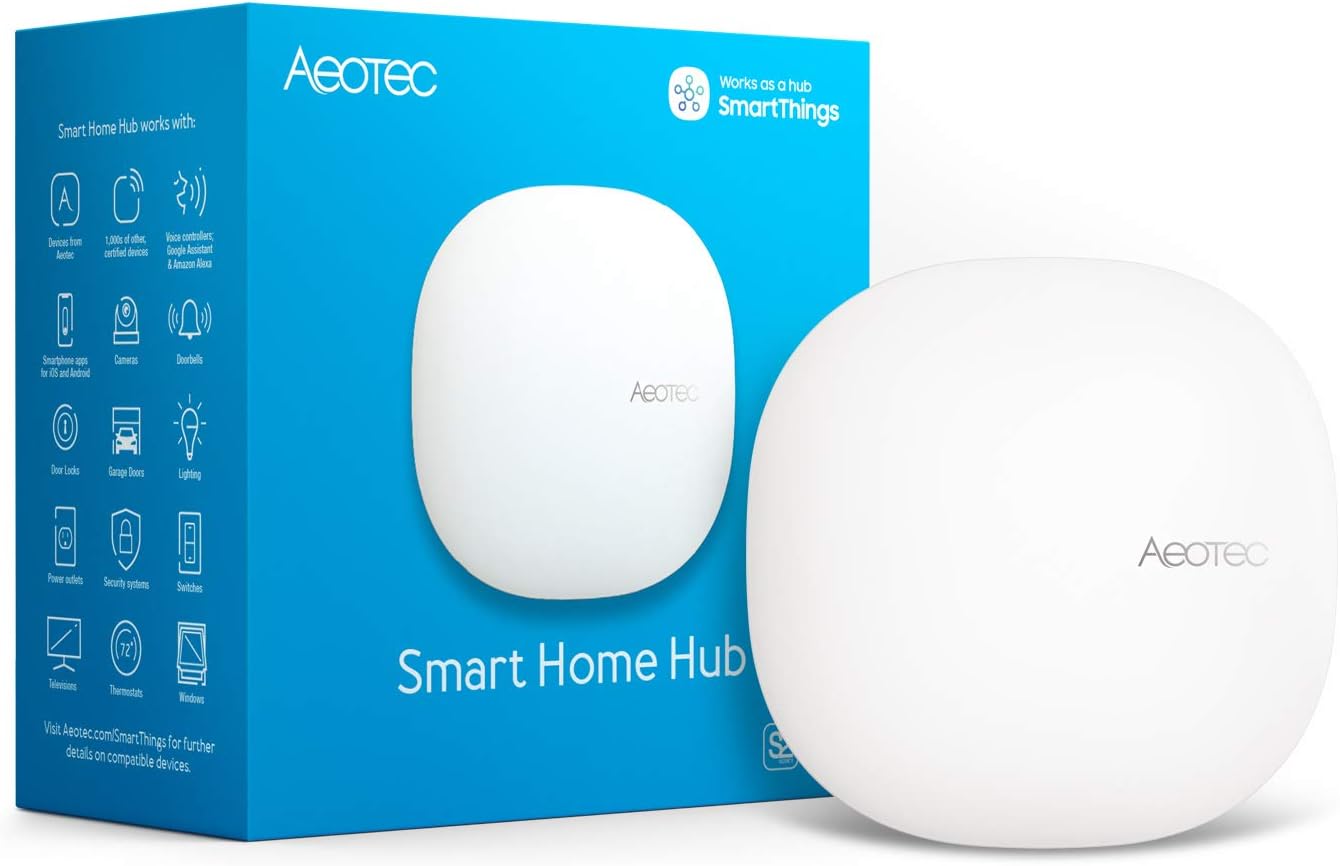
The Aeotec Smart Home Hub V3 is a SmartThings-compatible gateway that combines Matter, Z-Wave Plus, Zigbee, and Wi-Fi in one unit, with a wired Ethernet option for initial setup. It suits North American households that want to bring devices from several smart home ecosystems under one app and voice assistant setup.
Pros & Cons
Pros
Supports Matter, Z-Wave Plus, Zigbee, and Wi-Fi in one hub, making it a strong option for mixed-device smart homes.
Ethernet and Wi-Fi connectivity give you a reliable wired setup option along with wireless flexibility.
Works with Alexa and Google Assistant, so existing voice control habits carry over easily.
Local automation processing helps routines respond faster and remain dependable.
Compact, white design with an included adapter and Ethernet cable makes it ready to set up out of the box.
Cons
Z-Wave Plus support applies to the V3 model only, so buyers should confirm the exact version before purchasing.
Device compatibility depends on each manufacturer, so you should check that new devices work with SmartThings before buying them.
Designed for use in North America, which may limit its suitability for buyers in other regions.
Detailed Review
The Aeotec Smart Home Hub V3 is a central controller that brings Matter, Z-Wave Plus, Zigbee, and Wi-Fi devices together under the SmartThings platform. It is aimed at homeowners who already own, or plan to build, a smart home with devices from several manufacturers. It also works with Amazon Alexa and Google Assistant for voice control.
Its standout strength is compatibility. Lighting, sensors, switches, and comfort devices from many brands can be managed in one app, and automations can coordinate them throughout the day. Many routines run locally on the hub, which helps them respond quickly and keep working when the internet connection is unreliable.
Setup is straightforward. The included Ethernet cable provides a stable first connection, and you can switch to Wi-Fi later in the SmartThings app. The included adapter and white finish keep the hardware simple and unobtrusive on a shelf or desk.
The hub has limitations to consider. Z-Wave Plus support is limited to the V3 model, and the product is designed for North American use. Compatibility also depends on each device manufacturer, so buyers should confirm support for their gear before purchasing.
Overall, this is a capable and versatile hub for North American smart home owners who want one controller for several protocols. It is best suited to users comfortable with the SmartThings app who value local automation and wired reliability. Buyers with a small set of devices from a single ecosystem may find a cheaper, simpler option sufficient.
The Philips Hue Bridge Pro is a wireless smart lighting hub that can be placed anywhere in the home and supports up to 150 lights and 50 accessories over Zigbee and Matter. It suits Hue owners who are expanding their system or want local, reliable control with Apple Home, Alexa, Google, or SmartThings integration.
Pros & Cons
Pros
Wireless placement offers far more flexibility than the previous wired hub design.
Local Zigbee control keeps lights responsive even when the internet goes down.
Large capacity for lights, accessories, and scenes suits both large homes and growing setups.
Matter certification and broad voice assistant support make it a versatile center for smart home platforms.
Cons
Premium price point compared with basic smart home hubs, which may be hard to justify for a small setup with only a few bulbs.
Full motion-sensing and advanced features depend on owning compatible Hue devices, so existing Hue investment is practically required.
Requires a wired power connection and an Ethernet cable for the initial setup, which limits placement to outlets, even though the hub itself is wireless.
Detailed Review
The Philips Hue Bridge Pro is the latest central hub for the Philips Hue ecosystem, designed for homeowners who already run multiple Hue bulbs or plan to expand their smart lighting. It acts as the control center for lights, automations, and third-party integrations.
Its standout upgrade is the Hue Chip Pro, a quad-core processor paired with 4 GB of memory that handles up to 150 lights and 50 accessories. Automations and scenes respond quickly, and features like MotionAware let your bulbs act as motion sensors without adding separate hardware.
The hub is compact at roughly 3.7 inches square and light at under 12 ounces, making it easy to tuck behind furniture or on a shelf. Because it is wireless, you are no longer limited to placing it beside your router, though it still needs a power outlet and an Ethernet cable for setup.
The main drawback is cost. At this price, the Bridge Pro is a significant investment for anyone with only a handful of bulbs, and several advanced features require compatible Hue devices. Those who prefer a fully wireless setup with no cable runs may also find the power and Ethernet requirements limiting.
For existing Hue users who want a faster, more capable, and more secure hub with room to grow, the Bridge Pro is a strong upgrade. New buyers with a small setup should consider whether the standard Hue Bridge or a lower-cost alternative better fits their needs.
The SENCKIT IRS06 is a Wi-Fi infrared blaster that turns TVs, air conditioners, fans, and set-top boxes into voice and app-controlled devices without a separate hub. It suits smart home users with Alexa or Google Home who want an affordable way to bring older IR-only appliances online.
Pros & Cons
Pros
Simple setup with no hub needed, and it works with the widely used Smart Life app
Good value for adding voice and remote control to multiple older IR appliances
DIY learning function extends compatibility to devices not on the preset list
Lightweight and easy to place, with a 24-month warranty included
Cons
Requires a 2.4GHz Wi-Fi network, so 5GHz-only setups will not connect
Only infrared-based devices are supported, and it needs a clear line of sight to the appliance
Does not include a power adapter, so you need a USB charger or phone plug
Detailed Review
The SENCKIT IRS06 is a Wi-Fi infrared remote blaster designed to bring older household appliances into a smart home setup. It works with TVs, air conditioners, fans, set-top boxes, and DVD players, making it a practical choice for anyone who wants voice control without replacing existing equipment.
Its standout feature is broad device support, with a library covering over 50,000 IR devices. The DIY learning function lets you copy signals from your original remote for models not on the list, which adds flexibility. Once paired through the Smart Life or Tuya app, you can control appliances from your phone, whether you are at home or away.
The unit is small and lightweight at 45 grams, and it is designed to sit in view of the appliance it controls. It ships with a USB cable but no power plug, so you will need a phone charger or similar adapter. The build is basic but adequate for a device of this price, and the 24-month warranty adds some reassurance.
The main limitations are the 2.4GHz Wi-Fi requirement and the need for a clear line of sight between the blaster and the appliance. Setup also takes some patience, especially when using the DIY learning mode, and results can vary by brand. Buyers expecting a fully polished out-of-box experience may find the process less straightforward than premium alternatives.
Overall, the SENCKIT IRS06 offers strong value for smart home users who want to add Alexa or Google Home control to legacy IR appliances. It is best suited to those comfortable with a short app setup, and it delivers reliable functionality for the price.
The Broadlink RM4 Pro is a Wi-Fi smart hub that controls IR devices like TVs and ACs, plus 433MHz fixed-code RF gear such as motorized blinds and light switches, all through Alexa, Google, or the free app. It suits smart home owners with a 2.4GHz network who want to add a sensor-based temperature trigger and consolidate multiple remotes, but it is not compatible with rolling-code RF devices.
Pros & Cons
Pros
Covers both IR and 433MHz RF devices in a single compact hub, reducing clutter
Strong voice assistant integration for TV and AC commands
Built-in temperature and humidity readings can drive automation without extra hardware
Free app and online IR library make setup and ongoing device support straightforward
Affordable one-time purchase with no batteries or subscription required
Cons
Only supports 2.4GHz Wi-Fi, so 5GHz-only or mesh networks may cause connection problems
Rolling-code RF devices and some curtain motors or ceiling fans will not work, so compatibility must be checked before buying
A 5V 1A USB power adapter is not included and must be sourced separately
Detailed Review
The Broadlink RM4 Pro is a universal smart hub designed for homeowners who want to bring older infrared and radio-controlled appliances into a modern smart home setup. It works as an IR blaster for TVs, set-top boxes, air conditioners, fans, and DVD players, and it also handles 433MHz fixed-code RF devices like motorized curtains and light switches. It fits best for people who already own a Wi-Fi network and want to consolidate several remotes without replacing their existing gear.
Its standout strength is the breadth of control it offers from one device. Voice commands through Alexa, Google Assistant, or Siri can handle TV power, volume, channel changes, and AC temperature and fan settings. The built-in timers, scenes, and routines let you automate tasks, and the included temperature and humidity sensor can trigger your AC when the room gets warm.
The hub has a compact, black, plastic housing measuring about 3.35 inches square, and it sits easily on a shelf or desk. Setup is handled through the BroadLink app, which guides you through pairing and learning remote button codes when a device is not in the online library. The external sensor cable adds flexibility by letting you place the sensor in a different spot from the hub for more accurate readings.
The main drawbacks come down to compatibility and setup requirements. The hub only works with 2.4GHz Wi-Fi, and passwords with special characters or more than 32 characters can cause connection failures. Rolling-code RF devices are not supported, and some curtain motors and ceiling fans may not respond, so confirm compatibility before purchasing. The power adapter is also not included.
For smart home users with compatible devices and a 2.4GHz network, the Broadlink RM4 Pro offers strong value and flexibility for a one-time purchase. Its combined IR and RF support, voice assistant integration, and sensor-based automation make it a practical hub for consolidating control. Buyers with rolling-code devices or 5GHz-only networks should look at alternatives.
The SwitchBot Relay Switch 2PM is a compact, in-wall smart relay that controls two circuits, monitors energy use, and doubles as a Bluetooth repeater for other SwitchBot devices. It suits homeowners who want to automate lights, fans, or HVAC equipment with existing switch boxes and voice assistant support, though Apple Home control requires a separate Matter hub.
Pros & Cons
Pros
Two independent channels in one compact module reduce the number of devices needed for dual-circuit automation
Built-in energy monitoring provides useful usage graphs without a separate power meter
Dual connectivity (Wi-Fi and Bluetooth) keeps basic control working during internet outages
Simple installation in standard switch boxes avoids the need for an electrician in many cases
Cons
Apple Home integration requires a Matter hub, which adds cost if you do not already own one
Direct voice control with Alexa or Google Home may need a compatible speaker, depending on the feature used
Rated at 16 A and 1600 watts, so it is not suited to very high-draw loads such as electric heaters or large motors
Detailed Review
The SwitchBot Relay Switch 2PM is a compact smart relay designed to fit inside standard wall switch boxes and outlet boxes. It is aimed at homeowners who want to automate lights, ceiling fans, heating, or air conditioning without replacing their existing switches or running new wiring.
Its standout feature is dual-channel control combined with power monitoring. Each of the two circuits can be switched independently, and the built-in meter tracks consumption and draw with detailed graphs, which helps identify energy-hungry appliances. The built-in Bluetooth repeater is a practical bonus for households already using other SwitchBot sensors or locks.
The unit is built with a V0 flameproof casing and includes over-temperature and overload protection, which cuts power in emergencies. It also remembers its previous on or off state after an outage, so lights and appliances return to their prior condition. The ESP32 processor supports reliable communication, and the Wi-Fi and Bluetooth dual connectivity keeps local control working when the internet is down.
The main drawback is the Apple Home requirement: full support depends on a Matter hub, so Apple users may need additional hardware. Voice control through some assistants also depends on a compatible speaker, and the 16 A rating limits its use with high-power appliances such as electric heaters. Those needing a 240 V or heavy-duty solution should look elsewhere.
Overall, this is a well-rounded, affordable option for anyone looking to add smart control and energy monitoring to lights and common household appliances. Buyers with a Matter hub or an Alexa or Google Home setup will get the most out of it, and the installation is straightforward enough for confident DIYers.
Home Automation Controller Buying Guide
Local processing and cloud dependence
Some controllers run automations on the device itself, while others depend on remote servers for certain functions. The Hubitat Elevation C-8 Pro hub listing says automations run directly on the hub, so lights, locks, thermostats and routines keep working when the internet goes down. The Aqara M100 smart hub listing says it supports local execution of automations for Zigbee and Matter devices. It also notes that some automations, such as cloud push notifications, still need a cloud connection. For background on this topic, see local smart home controllers.
Protocols and device compatibility
Check which radios and standards a controller supports before you buy. That decision determines which devices connect directly and which need an extra bridge or adapter. The Aeotec smart home hub listing names Z-Wave, Zigbee, Matter and Wi-Fi, and says it supports both wired Ethernet and Wi-Fi setup. The listing states Z-Wave Plus support for the V3 model only. The Hubitat listing names Matter 1.5, Z-Wave 800 Series, Zigbee 3.0 and Bluetooth. The Aqara M100 listing describes itself as a Matter bridge that connects Aqara Zigbee products to other ecosystems, including Apple Home, Amazon Alexa and Home Assistant. For more on how Matter fits into a setup, read Matter controllers and Thread border routers explained.
Voice assistant and app support
Most listings name the voice assistants they work with, but the level of support varies. The MOES smart home control panel lists built-in Alexa voice control and a 5-inch touch screen. The SENCKIT WiFi infrared remote controller lists compatibility with Alexa, Google Home and IFTTT, and it uses the Smart Life or Tuya app for control. The Broadlink RM4 Pro universal remote lists voice control through Alexa, Google, IFTTT and Siri for TV and air conditioner functions, and it includes a free app for phone-based control. Check the listing for the exact device types each assistant can control.
Processing power, memory and capacity
Hardware specs differ across these controllers. The Philips Hue Bridge Pro listing describes a 1.7 GHz processor, 4 GB of DDR4 memory, support for 150+ lights and 50+ accessories, and storage for up to 500 personalized scenes. The Home Assistant Green hub listing gives a quad-core processor, 32 GB of storage and 4 GB of RAM, and describes the unit as fanless and silent. The Broadlink listing shows a maximum of 255 supported devices. Compare these capacity figures against the number of devices you plan to add, and keep in mind that the listings measure capacity in different ways.
Setup requirements and placement
Setup needs vary from one controller to another. The Broadlink RM4 Pro listing requires a stable 2.4 GHz Wi-Fi network and states that a 5V 1A USB adapter is needed but not included. Its RF support covers 433 MHz fixed-code devices only, not rolling-code devices, and the listing warns that some curtain motors and ceiling fans may not work. The Aqara M100 listing also calls for 2.4 GHz Wi-Fi and includes a power note, so read that section before you plug the hub in. The MOES panel lists both wired and wireless network options. The SENCKIT listing gives a maximum range of 10 meters for its infrared signal. For step-by-step guidance, see how to set up a smart home hub.
Final Thoughts
For a small or simple first setup, the Home Assistant Green hub listing says Home Assistant comes preinstalled, so setup needs only the included power supply and Ethernet cable. Its listing also describes an official design built and supported by Nabu Casa. For larger setups with many lights and accessories, the Philips Hue Bridge Pro lists the capacity figures discussed above. Readers who want local processing across several protocols can compare the Hubitat hub and the Aqara M100 hub.
For infrared control of TVs, air conditioners and fans, the SENCKIT WiFi infrared remote controller and the Broadlink RM4 Pro universal remote are the two infrared-based options in this list. The SENCKIT listing describes a wide range of device types, while the Broadlink listing covers both infrared and 433 MHz RF devices. Match the option to the devices you already own.
Frequently Asked Questions
Does the Hubitat Elevation C-8 Pro need a subscription?
The Hubitat listing says full platform functionality needs no recurring subscription and that every automation and integration is available from setup. Check the listing for any terms that may have changed since you read this guide.
What is the difference between a hub and a bridge?
A hub connects devices and runs automations on your network. A bridge typically translates between protocols or ecosystems so devices from different systems can work together. Some products, such as the Aqara M100, combine both roles, as its listing describes a Matter bridge with a multi-protocol hub. For a deeper look, 7 Best Home Automation Devices That Works with Alexa in 2026 covers this in detail.
Can an infrared controller work with my TV?
The Broadlink listing says it supports 38 kHz infrared devices such as TVs, set-top boxes and air conditioners. The SENCKIT listing names TVs, air conditioners, fans and DVD players among its supported devices. Check the infrared frequency of your device and the device list in each listing before you buy.
Is a warranty included with these controllers?
The SENCKIT listing states a 24-month warranty. Warranty details for the other products are not listed in the same way, so check each listing or the manufacturer’s documentation for current warranty terms.
About Claire Whitaker
Claire Whitaker is part of our editorial team and reviews and edits our smart home guides, checking product details against manufacturer specifications and owner feedback.
Learn what smart plugs can and cannot do. Control lamps, fans, and holiday lights remotely. Avoid space heaters. Understand load ratings, energy monitoring, outdoor plugs, and Matter compatibility.
Planning security camera installation for home? Compare three practical options by setup type, features and fit, with a buying guide to help you choose.
Learn how to install home security camera systems fast. We compare six top picks by setup ease, power, storage and Alexa compatibility to help you choose.
Compare 7 smart thermostat for electric baseboard heat options by compatibility, wiring, scheduling and voice control to find the right fit for your home.
Compare 4 security camera and recorder setups for home monitoring. See which recorder fits PoE, analog or hybrid camera systems, and what to check before buying
Compare 7 sign for security camera options for driveways, gates and entryways. Specs, pros, cons and buying tips to help you pick the right warning sign.
Compare five 4K security camera wireless options for home monitoring. Covers battery, solar, no-subscription setups, AI detection and buying factors to help you

 By Claire Whitaker