By Colin Foster
To connect a mix of smart lighting, sensors, locks, thermostats, and other gear, you usually need the devices to share a common language and a way to run automations. A smart home hub provides both: it translates between wireless standards and coordinates routines. This guide explains what hubs and bridges do, which protocols they support, and how to decide whether you actually need one.
What a hub or bridge does
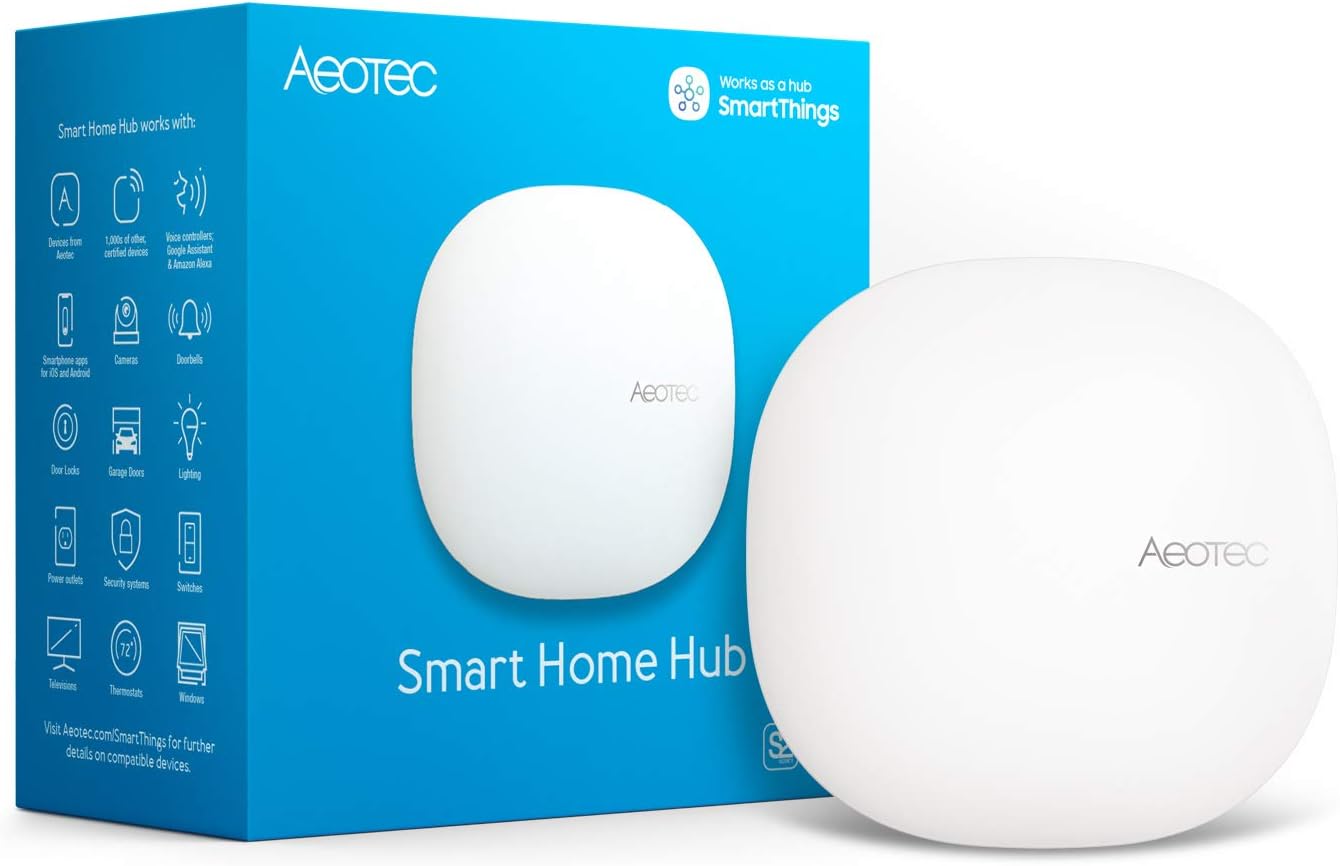
A hub, sometimes called a controller or bridge, is a device that connects to your router and speaks several wireless standards. It listens for signals from your Zigbee, Z-Wave, Thread, or proprietary devices and converts them into the network language your phone, smart speaker, and home network use. This translation step is necessary because many smart devices do not connect directly to Wi-Fi; they use low-power radios that save battery and avoid crowding your Wi-Fi network.
Hubs also run automations. Instead of each device relying on a separate cloud service, the hub can follow simple rules locally, such as turning lights on when a sensor detects movement or locking the door at a set time. The automations that a hub supports depend on the software it runs, so check the product information before you buy.
A bridge is usually a smaller, more limited version of a hub. It exists to convert one brand’s radio signal into something the brand’s app can understand. A hub, especially a multi-protocol hub, can do this for several standards at once and can act as the central brain for your entire setup.
Single-brand bridges versus multi-protocol hubs
A single-brand bridge is a small box that only works with that manufacturer’s devices. Many lighting and security brands require their own bridge to convert a proprietary radio into a signal that the brand’s app can read. The benefit is that the bridge is tuned for those devices and setup is usually straightforward. The downside is that the bridge does little for products from other brands.
A multi-protocol hub accepts devices from several standards at once. It might have built-in radios for Zigbee, Z-Wave, and Thread, or it might work with a USB dongle that adds a standard later. With a multi-protocol hub, you can mix a Zigbee motion sensor, a Z-Wave door lock, and a Thread smart plug and control them from one interface. This reduces the number of bridges and apps you need. If you want to compare the main hub and controller options, the guide to hubs and controllers covers the key differences. If you stay within one brand, a dedicated bridge can be enough, but if you expect to buy from different brands over time, a multi-protocol hub is usually the better investment.
Hubs built into speakers and displays
Many smart speakers and displays include a hub inside the shell. Some have a Zigbee radio, some include a Thread border router, and many act as a Matter controller. That means the device you already own can coordinate lights, locks, and sensors without a separate hub. The catch is that the built-in hub usually supports only the standards that the manufacturer decided to include, and automations may be limited to the app that came with the speaker or display. Check the product specs before assuming a speaker will manage every device in your home.
If you already own a speaker or display with the right radios, you can try it as your hub before buying anything else. If it cannot control a device, you still have the option of adding a dedicated hub later.
Local versus cloud processing
Processing refers to where the brain of the automation lives. With local processing, the hub speaks to your devices directly on your home network and follows rules from its own memory. With cloud processing, the device or the app sends a command to the manufacturer’s server, and the server sends it back to the device. Local processing keeps working if your internet goes down, and it usually feels more responsive. Cloud processing can work when the device and phone are on different networks, but it depends on an internet connection and the service staying online.
Many hubs combine both approaches. They process simple automations locally and use the cloud for remote control. Some manufacturers state clearly which features are local, while others do not. When local operation matters to you, look for a hub that lets you set up basic automations without requiring a cloud account.
Protocol comparison table
The table below shows the common wireless standards a home hub may support and what each one needs to reach your network.
| Protocol | What it is | What it needs to reach your network |
|---|---|---|
| Zigbee | A low-power mesh protocol used by lights, sensors, and plugs. | A Zigbee coordinator built into the hub or added as a USB dongle. |
| Z-Wave | A low-power mesh protocol for locks, sensors, and switches. | A Z-Wave controller built into the hub or a USB dongle approved for your region. |
| Thread | A low-power mesh protocol that routes traffic over IPv6; common in newer devices. | A Thread border router, often built into a speaker, display, or hub. |
| Wi-Fi | A direct connection to your existing router; faster data but uses more power. | A router or access point; Matter-over-Wi-Fi devices also need a Matter controller. |
| Bluetooth | A short-range protocol for setup, simple controls, and nearby devices. | A phone, tablet, speaker, or hub with Bluetooth; range is limited. |
| Matter | An application layer that runs over Thread or Wi-Fi to standardize device control. | A Matter controller and compatible devices; support varies by manufacturer and firmware. |
| Proprietary | A brand-specific radio used by some single-brand product lines. | A bridge from that brand. |
Every hub supports a different set of these standards, so check the spec sheet for the exact list. If a device uses a standard your hub lacks, the hub cannot control it without an added dongle or a separate bridge.
When you do not need a hub
If your smart devices already connect to Wi-Fi, they may not need a hub at all. Wi-Fi bulbs, plugs, and cameras connect directly to your router and use the brand’s app or your smart home app. Matter-over-Wi-Fi devices still need a Matter controller, but that controller may be built into a phone, tablet, speaker, display, or hub you already own. If you only use one brand and that brand offers an app, the separate hub may be unnecessary.
The trade-off is that Wi-Fi devices put more load on your network, and app-based controls sometimes rely on cloud service. A hub can take over automation duties and reduce the number of app accounts you juggle, but it is optional if every device is Wi-Fi and works in a single app. If you are comfortable with your current setup, there is no reason to add hardware.
Choosing by your device list
The best way to choose a hub is to start with the list of devices you have or plan to buy.
- Write down each device and the standard shown on the box or in its app, such as Zigbee, Z-Wave, Thread, Wi-Fi, or Matter.
- Note which brand requires its own bridge. Some brands have no app alternative, so you need that bridge no matter what.
- Decide whether local automation matters. If you want the door lock or lights to work during an internet outage, pick a hub that runs basic rules locally.
- Compare hub radios. Look for a hub with built-in support for your current standard, plus room to expand, such as a USB port for additional radios.
You can simplify by choosing a hub that supports more than one standard even if you only use one now. That way, when you add a sensor with a different radio later, you do not have to replace the hub. Once you narrow down your options, a step-by-step hub setup guide can help you connect everything without guesswork.
Upkeep and long-term ownership
Hubs and bridges need little day-to-day attention, but they do require occasional firmware updates. Updates can fix security issues, add protocol support, and improve automation reliability. Leave automatic updates enabled when possible, and check the manufacturer’s instructions for how to update.
Keep in mind that a hub is tied to its ecosystem. If a manufacturer discontinues a line or stops supporting a cloud service, your automation may stop working. Multi-protocol hubs tend to be more resilient because they still control supported devices locally, but no hub can promise compatibility forever. Before buying, see whether the product page explains the hub’s local features and which standards it will accept. If you are still unsure which hub fits your home, the guide to smart home hubs is a good next step.
FAQ
Do I need a hub if everything is Wi-Fi?
Not usually. Wi-Fi devices connect directly to your router and can run from their own apps. If you want cross-brand automations that run without internet, a hub can help, but it is not required for basic control.
What is the difference between a hub and a bridge?
The names are often used the same way. A bridge usually converts one proprietary radio to your network, while a hub manages multiple standards and runs automations. Both are boxes that let devices on different radios become part of your smart home.
Can a smart speaker act as a hub?
Some can. It depends on whether the speaker or display has a built-in Zigbee radio, a Thread border router, or a Matter controller. Check the box or product page for the supported standards before relying on it.
Does Matter mean I do not need any hub?
No. Matter simplifies compatibility, but you still need a Matter controller to set up devices and run automations. That controller can be a hub, speaker, display, or a similar device that supports Matter.
A smart home hub is not required for every setup, but it becomes valuable when you have several protocols or want automations that run locally. Start with your current device list, match the radios, and think about how much you depend on the internet. With a clear idea of what a hub does, you can choose the controller that fits your home and move on to actually connecting everything.
About Colin Foster
Colin Foster is part of our editorial team and reviews and edits our smart home guides, checking product details against manufacturer specifications and owner feedback.