 By Colin Foster
Updated November 2026
Alexa app compatible devices are smart home products that link directly to the Alexa app, so you can control them with voice or from your phone. This guide shows you how to confirm compatibility before buying, how to check what your account already supports and how to add a new device without trouble. You do not need technical experience to follow along.
Check the Alexa Compatibility Label First
Most products that work with Alexa display a “Works with Alexa” badge on the box or in the product listing. That badge means the manufacturer has built a skill or native integration for the platform. Look for it, but do not stop there, because some devices list only a hub requirement or a specific protocol. For a broader overview, see What Devices Support Alexa: Compatible Smart Home List (2026).
Shopping for one? See our guide: 9 Best Alexa Compatible Devices for Smart Home Setups (2026).
Next, read the device’s compatibility notes. Manufacturers usually specify whether the product needs a separate bridge or hub, which Wi-Fi band it uses (most support 2.4 GHz only) and whether it requires a subscription for full features.
Confirm Support in the Alexa App
Once you own the device, the Alexa app is the final test. Open the app and follow these steps:
- Tap the Devices tab at the bottom of the screen.
- Tap the plus icon in the upper corner and choose Add Device.
- Select the device category, then the brand. If the brand appears, it is supported.
- Follow the on-screen prompts to link the device to your Wi-Fi network.
If you cannot find the device category or brand, the product is not currently supported by that route. For help locating the right screen, read Where to Find Devices in Alexa App: Step-by-Step Guide (2026).
Match Your Echo to the Device Type
Compatibility also depends on your Echo model. Some newer features, such as Alexa Plus, run only on certain hardware. Before you assume a feature will work, check the current list in Which Echo Devices Are Compatible with Alexa Plus? Full List (2026). Remember that smart plugs, bulbs and locks generally work with any Echo that supports the Alexa app, while video features and screen-based controls depend on having an Echo Show.
Plan for Protocols and Hubs
Some devices use Zigbee or Matter rather than Wi-Fi. Zigbee products usually need an Echo with a built-in Zigbee hub or a separate bridge, and Matter devices generally work through the Alexa app once a compatible controller is set up. Check the manufacturer’s setup page for the required hardware. For Zigbee specifics, see Alexa Compatible Zigbee Devices: Setup Guide and Hub Requirements (2026).
Recommended gear
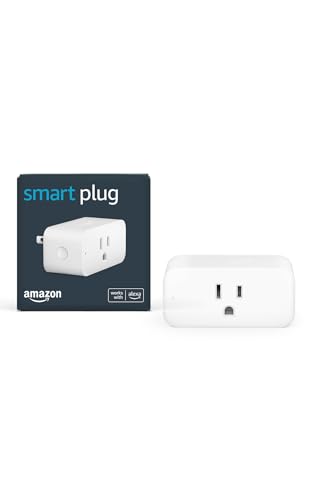
- A smart plug with Alexa support helps you test compatibility cheaply before committing to larger purchases like cameras or thermostats. View on Amazon
- A Zigbee hub lets you add sensors and bulbs that do not connect over Wi-Fi. View on Amazon
Common mistakes
- Buying a device that needs 5 GHz Wi-Fi when your router broadcasts only 2.4 GHz.
- Assuming the “Works with Alexa” badge covers every feature. Advanced controls may need extra setup.
- Forgetting to check whether a hub or subscription is required.
- Skipping a device firmware update, which can block pairing with newer Alexa features.
- Adding a device to the wrong Alexa account when several people share one household.
FAQ
How do I know if a device works with Alexa?
Look for the “Works with Alexa” badge, then open the Alexa app and try adding the brand under the Devices tab. If the brand appears, the device is supported.
Do I need an Echo Show for all Alexa devices?
No. Most smart home devices work with any Echo, but screen-based controls and camera feeds need an Echo Show or a compatible display.
What if my device is not listed in the Alexa app?
Confirm the device needs no hub, check your Wi-Fi band and make sure the firmware is current. If it still does not appear, contact the manufacturer for the latest compatibility details.
Conclusion
Checking the badge, confirming support in the Alexa app and matching your Echo and protocol will keep most setups on track. Following these steps before you buy saves time and avoids returns. Always check the manufacturer’s current documentation, since compatibility can change with updates.
Ready to choose one?
About Colin Foster
Colin Foster is part of our editorial team and reviews and edits our smart home guides, checking product details against manufacturer specifications and owner feedback.