By Claire Whitaker
Updated November 2026
Shopping for a commercial electric smart thermostat usually starts with one practical question: will it actually control the heat in your space? Electric heat behaves differently from gas or heat pump systems, so the thermostat has to match the voltage and load your heaters draw. The picks below were chosen by reviewing manufacturer specifications, the brand’s track record with electric heat, the voice assistant and app ecosystems they support, and recurring themes in owner feedback. We did not test these units ourselves. Each entry explains who the model suits, what it does well, and where it falls short.
Our top picks at a glance
- 1
 TOP CHOICEBest overallAmazon Smart ThermostatView on Amazon
- 2
 TOP CHOICEBest for Alexa householdsSensi Smart Thermostat, ST55View on Amazon
- 3
 TOP CHOICEBest for baseboard heatersmeross Matter Smart Thermostat for Electric Baseboard Heater, BlackView on Amazon
- 4
 Best for Google Home usersGoogle Nest Thermostat – SnowView on Amazon
- 5
 Best budget pickCommercial Electric Wi-Fi and Bluetooth Enabled Smart Programmable ThermostatView on Amazon
- 6
 Best for multi-assistant setupsecobee Smart Thermostat EssentialView on Amazon
Our Top Picks
Quick Comparison
| Product | Best for | Key feature |
|---|---|---|
| ecobee Smart Thermostat Essential | Multi-assistant homes | Works with Siri, Alexa, and Google Assistant |
| meross Matter Smart Thermostat | Electric baseboard heaters | Rated for 120–240V and supports Matter |
| Sensi Smart Thermostat, ST55 | Alexa households | Wi-Fi with Energy Star certification |
| Google Nest Thermostat | Google Home users | Compact, learns schedules from manual changes |
| Amazon Smart Thermostat | Ring and Alexa setups | Requires a C-wire |
| Commercial Electric Wi-Fi Smart Programmable Thermostat | Budget-conscious buyers | Schedules with Hubspace app support |
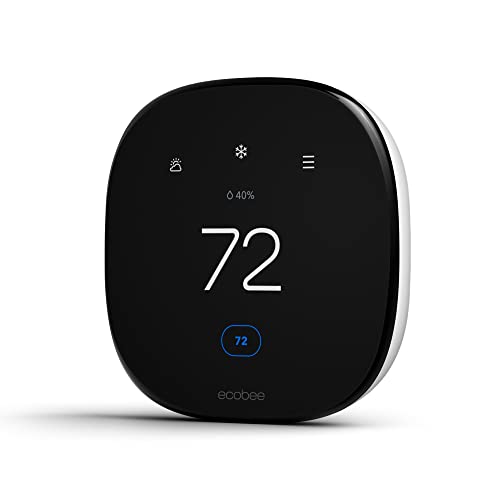
ecobee Smart Thermostat Essential
ecobee Smart Thermostat Essential – WiFi Thermostat, Energy Star Certified | Programmable Wi-Fi Thermostat – Works with Siri, Alexa, and Google Assistant. energy saving thermostat.
Best for: Multi-assistant homes
This model suits households where family members use different voice assistants, or where the thermostat needs to fit into a broader smart home platform without locking you into one ecosystem.
Key specs
- Wi-Fi connectivity
- Energy Star certified
- Works with Siri, Alexa, and Google Assistant
Pros
- Broad voice assistant compatibility
- Established app with scheduling and remote control
- Energy Star certification supports efficiency claims
Cons
- Electric baseboard compatibility should be confirmed against the wiring in your specific unit
- Advanced features may sit behind a higher-tier model
Bottom line: A strong pick if you want one thermostat that answers to several assistants. Confirm your heater type before buying.
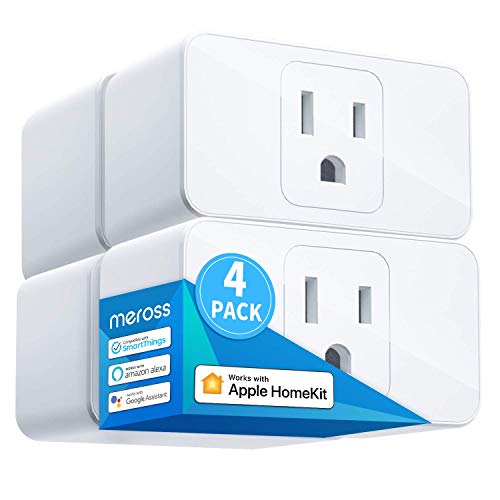
View on Amazonmeross Matter Smart Thermostat for Electric Baseboard Heater, Black
meross Matter Smart Thermostat for Electric Baseboard Heater, Black | WiFi Programmable Thermostat Works with HomeKit, Alexa, Google Home & SmartThings | 120-240V | Energy Saving | Remote Control
Best for: Electric baseboard heaters
Owners with a room full of electric baseboard heaters tend to be the target here. The listing specifies a 120–240V range, which covers common residential electric heat wiring.
Key specs
- Input range of 120–240V
- Matter support alongside HomeKit, Alexa, Google Home, and SmartThings
- Wi-Fi programmable with remote control
Pros
- Voltage range matches typical electric heat circuits
- Matter support broadens platform choice
- Programmable schedules for energy saving
Cons
- Load rating should be checked against your heater’s amperage
- Installation on high-draw circuits may call for an electrician
Bottom line: Best suited to people whose main heat source is electric baseboard and who use HomeKit or Matter-based platforms.
View on AmazonSensi Smart Thermostat, ST55
Sensi Smart Thermostat, Wi-Fi, DIY, Alexa, Energy Star Certified, ST55
Best for: Alexa households
Homeowners who already run Alexa routines and want a thermostat that fits a do-it-yourself setup without a professional installer tend to look at this model.
Key specs
- Wi-Fi connectivity
- Works with Alexa
- Energy Star certified
Pros
- Straightforward Alexa integration
- Energy Star certification
- Designed for DIY installation
Cons
- Electric heat compatibility needs verification against your system
- Fewer advanced scheduling options than some competitors
Bottom line: A practical choice for Alexa users with a forced-air or compatible system who want a simple setup.
View on AmazonGoogle Nest Thermostat – Snow
Google Nest Thermostat – Smart Thermostat for Home – Programmable Wifi Thermostat – Snow
Best for: Google Home users
The Nest line is built around Google’s ecosystem, so buyers already using Google Home speakers and displays are the natural audience.
Key specs
- Programmable Wi-Fi thermostat
- Compact form factor
- Works with Google Home
Pros
- Clean, compact design
- Tight integration with Google Home
- Scheduling adapts from manual adjustments
Cons
- Electric baseboard heat is not its primary design target
- Limited value outside the Google ecosystem
Bottom line: Ideal for Google Home households with conventional wiring. Check heater compatibility before committing.
View on AmazonAmazon Smart Thermostat
Amazon Smart Thermostat – Save money and energy – Works with Alexa and Ring – C-wire required
Best for: Ring and Alexa setups
Households with Ring doorbells or cameras and Alexa devices already in place will find this model fits neatly into the existing app.
Key specs
- Works with Alexa and Ring
- C-wire required
- Designed around energy savings
Pros
- Strong fit with Alexa and Ring devices
- Energy-saving scheduling features
- Simple app control
Cons
- C-wire requirement can complicate installation on older wiring
- Electric heat support depends on the wiring in your unit
Bottom line: The best fit for Amazon-centric homes that can supply a C-wire. Otherwise, consider a model that does not need one.
View on AmazonCommercial Electric Wi-Fi and Bluetooth Enabled Smart Programmable Thermostat
Commercial Electric Wi-Fi and Bluetooth Enabled Smart Programmable Thermostat with Schedules Powered by Hubspace
Best for: Budget-conscious buyers
Buyers who want core scheduling and remote control without paying for premium features will find this a sensible starting point.
Key specs
- Wi-Fi and Bluetooth connectivity
- Programmable schedules
- Powered by Hubspace
Pros
- Covers essential scheduling needs
- Bluetooth as a backup connection option
- Budget-friendly positioning
Cons
- Fewer integrations than premium models
- Verify electric heat compatibility before purchase
Bottom line: A reasonable pick when core scheduling is the priority and advanced integrations are not required.
View on AmazonBuying Guide
Check Your Heater Type and Voltage
Electric baseboard, fan-forced, and line-voltage heaters often run at 120V or 240V. Thermostats are generally designed for either low-voltage (24V) control or line-voltage switching. Read the heater’s nameplate and confirm the thermostat’s rated voltage and load before you buy. Mismatched loads can cause nuisance tripping or overheating.
Good picks for this: meross Matter Smart Thermostat, ecobee Smart Thermostat Essential
Understand Wiring and the C-Wire Requirement
Many smart thermostats need a common wire (C-wire) to power their Wi-Fi radios continuously. Some older buildings lack one. Check your existing wiring at the thermostat location before purchase. If no C-wire exists, look for models that advertise power-stealing or no-C-wire designs, and confirm the claim in the manufacturer’s documentation.
Good picks for this: Sensi Smart Thermostat, ST55, Commercial Electric Wi-Fi Smart Programmable Thermostat
Match the Voice Assistant Ecosystem
Think about which assistant runs your home. Alexa, Google Assistant, Siri through HomeKit, and Matter-based platforms each handle routines differently. A thermostat that supports multiple ecosystems gives you flexibility if you switch platforms later.
Good picks for this: ecobee Smart Thermostat Essential, Google Nest Thermostat
Check Scheduling and Learning Features
Programmable schedules are standard. Learning features that adjust to manual changes are less common and vary by model. Decide whether you want set-and-forget scheduling or an adaptive approach, and read the manufacturer’s description of what the learning function actually does.
Good picks for this: Google Nest Thermostat, Amazon Smart Thermostat
Consider Size and Mounting
Measure the existing wall plate and confirm the new unit’s footprint. Some models are compact and fit single-gang boxes, while others need more clearance. Check the mounting bracket specifications in the product listing before ordering.
Good picks for this: Google Nest Thermostat, meross Matter Smart Thermostat
Evaluate Energy Efficiency Certifications
Energy Star certification indicates the manufacturer has met the program’s efficiency and performance criteria. Certification does not guarantee savings in every home, since results depend on heating load, insulation, and schedule habits. Treat it as one factor among several.
Good picks for this: Sensi Smart Thermostat, ST55, ecobee Smart Thermostat Essential
Plan for Installation and Safety
Electric heat involves line voltage. If you are not comfortable working inside an electrical box, hire a licensed electrician. Turn off the breaker before removing any cover, verify with a non-contact tester, and follow the manufacturer’s wiring diagram exactly.
Good picks for this: meross Matter Smart Thermostat, Amazon Smart Thermostat
FAQ
Can any smart thermostat control electric baseboard heaters?
No. Electric baseboard heaters typically draw line voltage and require a thermostat rated for that load. Confirm the voltage range and amperage rating before buying a unit designed for low-voltage systems.
Do I always need a C-wire for a smart thermostat?
Many models do, because they need continuous power for Wi-Fi. Some models are designed to operate without one. Check the manufacturer’s wiring requirements for your specific model.
Which voice assistants work with these thermostats?
Support varies. Some models work with Alexa, others with Google Assistant, Siri through HomeKit, or Matter-compatible platforms. Confirm the exact list in the product documentation.
Can I install a commercial electric smart thermostat myself?
Low-voltage installations are commonly handled by homeowners. Line-voltage work involves higher risk. If you are unsure, consult a licensed electrician.
Will a smart thermostat lower my heating bill?
Results depend on your home, climate, and habits. Scheduling and efficient heating control can help, but savings are not guaranteed. Consult your utility provider for efficiency programs in your area.
Do these thermostats work without internet?
Basic thermostat functions usually continue on a schedule without internet, but remote control, voice commands, and software updates require a connection. Check the manufacturer’s offline behavior description.
Conclusion
For households that want the broadest assistant compatibility, the ecobee Smart Thermostat Essential is a strong fit. Electric baseboard owners should look first at the meross Matter Smart Thermostat, after verifying the load rating. Alexa users with C-wire access may prefer the Amazon Smart Thermostat, while Google Home households will find the Google Nest Thermostat a natural match. The Sensi Smart Thermostat, ST55, suits DIY-minded Alexa owners, and the Commercial Electric Wi-Fi Smart Programmable Thermostat is a sensible budget starting point. Always confirm voltage, wiring, and heater compatibility before you buy.
Sources
- Guidance on thermostat efficiency and home heating controls (energy.gov)
- Energy Star certification criteria for smart thermostats (energystar.gov)
- Electrical safety standards relevant to residential heating circuits (nfpa.org)
Related reading
- Top 5 Mysa Smart Thermostats for Electric Baseboard Heaters Compared
- Smart Thermostat Baseboard Heating: 3 Best Mysa Picks for Electric Heat (2026)
- Smart Thermostat Baseboard Heaters: 3 Best Picks for Electric Heat (2026)
About Claire Whitaker
Claire Whitaker is part of our editorial team and reviews and edits our smart home guides, checking product details against manufacturer specifications and owner feedback.